Langley's Most Trusted Dedicated RAID Data Recovery Lab

Professional RAID
Data Recovery in Langley, BC.

RAID 0 down. NAS not accessible. Array degraded. Server offline. Whatever your RAID configuration is doing right now — that is a specific failure with a specific recovery path. RecoveryMaster is a certified RAID data recovery lab serving Langley from our facility at 14935 100th Ave, Surrey, BC — the closest dedicated recovery lab to Langley, with free pickup dispatched directly to your door. Free diagnostic on every case. No Data, No Fee. You verify your recovered files before you pay a single dollar.

Free Diagnostic — Always
No Data, No Fee
23,000+ Devices Recovered
98% Success Rate
Data Never Leaves BC
You Verify Files Before Paying
Serving Langley · Track Record
23K+Devices Recovered
98%Success Rate
🔬
Ace Lab PC-3000 & DeepSpar hardware
🛡️
Hardware-level RAID reconstruction tools
🔒
Files never browsed · chain of custody
📍
14935 100th Ave, Surrey · 604-767-1701
The Real Question

Is my RAID data still recoverable?

Yes — data can be recovered from most failed RAID arrays in Surrey and across Metro Vancouver. In the vast majority of cases, the data remains intact on the individual member drives even when the array is offline, degraded, or completely inaccessible.

RAID failure does not mean data destruction. What it means is that the array's ability to present that data as a logical volume has broken down — whether through a controller fault, firmware issue, multiple drive failures, or a failed rebuild attempt. The underlying data on the physical drives is typically unharmed.

Stop the array now. Do not attempt a rebuild. Contact a professional before attempting anything else.

If your failed storage is a single internal or external hard drive rather than a multi-drive array, visit our hard drive data recovery in Surrey page for device-specific recovery options.
Critical · Read Now
If your RAID array is showing degraded, offline, or not detected — do not attempt a forced rebuild. Do not swap drives. Do not initialize. Every wrong action reduces what can be recovered. Power it down and contact RecoveryMaster first.
Get Your Free Diagnostic →
Identify Your Problem

What is your RAID array doing right now?

Different RAID failure symptoms indicate different failure types. Identifying the specific problem early is what determines which recovery path a technician takes — not all RAID failures are equal.

High Severity ⚠️

Array Showing Degraded or Offline

One or more drives have failed. The array is running on reduced redundancy or has stopped presenting the volume entirely. Do not force a rebuild without professional guidance — a forced rebuild on a second failing drive causes catastrophic data loss.

Do not rebuild. Do not replace drives without professional guidance.
Get help with this →
High Severity 🔄

Failed or Stuck RAID Rebuild

The array began rebuilding after a drive replacement and stopped, stalled, or completed but the volume is still not accessible. A rebuild failure frequently means a second drive was already failing when the rebuild started.

Power off immediately. Do not restart the rebuild.
Get help with this →
Medium–High 🌐

NAS Not Accessible on the Network

The NAS device powers on but does not appear on the network, shares cannot be browsed, or the management interface returns errors. Do not attempt a factory reset — this overwrites the volume metadata and dramatically reduces recoverability.

Do not factory reset. Do not initialize storage pools.
Get help with this →
Medium Severity 🔌

RAID Controller Failed or Replaced

The RAID controller card has failed, been replaced with a different model, or the server motherboard has been changed. Without the original controller configuration — stripe size, disk order, parity rotation — the array cannot be read by a replacement controller.

Do not attempt to rebuild with a new controller without guidance.
Get help with this →
Medium Severity 📁

RAID Volume Not Mounting or RAW

The volume mounts but shows RAW, asks to be formatted, or returns file system errors. The underlying data is present on the drives — the file system layer has become corrupted. Running format or chkdsk can overwrite recovery structures.

Do not format. Do not run chkdsk or fsck against the volume.
Get help with this →
Lower Severity 🔐

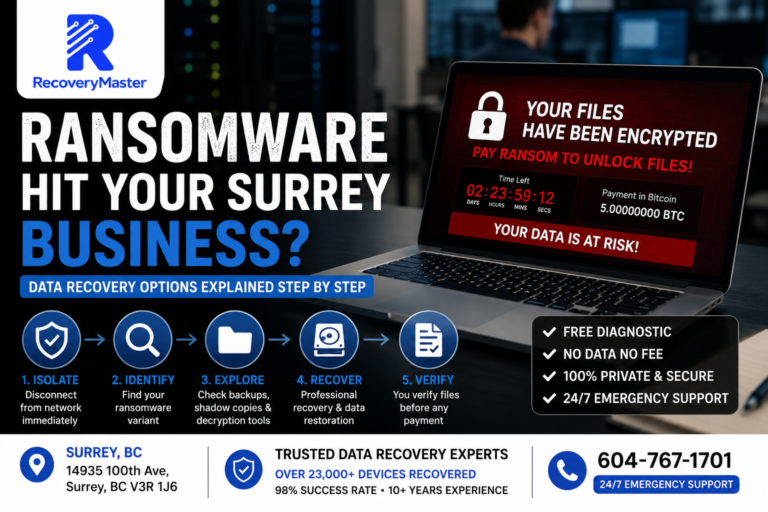
Ransomware or Accidental Deletion on RAID

Files have been encrypted by ransomware, accidentally deleted, or the RAID volume has been formatted. The physical drives and the array are intact — the damage is at the file or file system level.

Stop all writes immediately. Do not reinstall the OS or NAS firmware.
Get help with this →
The Process

How RecoveryMaster recovers your RAID data — zero risk.

You carry zero financial risk from the moment you make contact. Free diagnostic on every RAID case — unlike many labs that charge $150–$500 just to assess a multi-drive array. All recovery happens in-house at the Surrey lab.

1
Free Diagnostic — Always
Each member drive in the RAID is examined individually. The technician assesses physical condition, firmware state, and readability before any array-level work begins. Free on every case.
2
Written Quote Before Any Work
A clear written quote with confirmed turnaround time before recovery begins. No surprise fees. No work starts without your written approval. The quote covers the full recovery.
3
In-House RAID Recovery at the Surrey Lab
All drive imaging, RAID parameter reconstruction, array rebuilding, and file extraction happen at 14935 100th Ave, Surrey. Drives never leave British Columbia. Member drives in failing condition are imaged using DeepSpar hardware before any array work begins — protecting the originals from further degradation.
4
You Verify, Then You Pay
When recovery is complete, you receive a verified file listing. You confirm the files and data that matter are present and intact. Payment is taken only after you verify. No other RAID recovery service accessible from Langley offers this.
If recovery is not successful, you pay nothing. Not a reduced fee. Not a diagnostic charge. Zero — on every RAID case, without exception.
Timeline

RAID data recovery turnaround times — Surrey lab.

RAID recovery takes longer than single-drive recovery because every member drive must be imaged, assessed, and processed before array reconstruction begins. All timelines are confirmed in writing after the free diagnostic.

5–10 Days
Standard
No surcharge
Full multi-drive assessment, RAID parameter analysis, imaging, and reconstruction at standard workflow.
3–5 Days
Priority Rush
Priority surcharge applies
Your case moves to the front of the queue immediately after written approval.
24–72 Hrs
Urgent Rush
Urgent surcharge applies
A dedicated technician assigned exclusively to your RAID case from diagnostic through delivery.
Same Day
Emergency
Emergency surcharge applies
Arrays received before noon. Immediate start. Mission-critical business cases only.
No timeline is committed and no work begins until you have reviewed and approved the written quote.
Why Surrey Chooses Us

Why Surrey businesses and organizations choose RecoveryMaster for RAID data recovery.

RAID recovery is not something a general repair shop can handle. It requires hardware-level tools, multi-drive imaging, and parameter reconstruction expertise. RecoveryMaster does all of this in-house — no third-party involvement at any stage.

01
The Closest Dedicated RAID Recovery Lab to Langley
Located at 14935 100th Ave, Surrey — the nearest certified dedicated lab to Langley Township and Langley City. Free pickup dispatched to Willoughby, Walnut Grove, Fort Langley, and all Langley communities. A dedicated lab with hardware-level RAID reconstruction tools, DeepSpar multi-drive imaging capability, and Ace Lab PC-3000 for individual drive assessment. Not a general repair counter.
02
Hardware-Level RAID Reconstruction — Not Software
RAID reconstruction uses hardware-level analysis to determine stripe size, disk order, parity rotation, and file system parameters — without relying on the original controller or NAS operating system. Consumer software cannot do this.
03
Every RAID Level Supported
RAID 0, 1, 5, 6, 10, JBOD, and proprietary NAS configurations. Synology, QNAP, WD My Cloud, Drobo, Buffalo, and custom server builds. All failure types — drive failure, controller failure, firmware corruption, failed rebuild.
04
You Verify Your Files Before Paying
If data is not recovered, you pay nothing — no diagnostic fee. If recovery succeeds, you confirm your files yourself before any payment. No other RAID recovery service accessible from Langley offers this level of client verification before charging.
05
Your Data Never Leaves British Columbia
All drive imaging, RAID parameter reconstruction, and file extraction happen in-house at the Surrey lab. No third-party facilities. No out-of-province transfers — critical for Surrey businesses with compliance requirements.
06
Direct Technician Communication Throughout
You speak with the technician actually working on your array — not a receptionist or account manager. Direct updates throughout. NDA available for sensitive business data.
Customer Reviews

Trusted by Langley and Greater Vancouver businesses.

★ ★ ★ ★ ★

200+ verified Google reviews · 4.9 average rating

★ ★ ★ ★ ★

"Our Synology NAS went degraded and then offline during a rebuild attempt. RecoveryMaster recovered all 4TB of business data. They explained exactly what went wrong, imaged every drive before touching the array, and had everything back within a week."

Mark T. · Surrey, BC
★ ★ ★ ★ ★

"We had a RAID 0 array fail with no backup. Another company quoted us $3,000 and said recovery was unlikely. RecoveryMaster recovered everything at a fair price — no diagnostic fee, written quote before they started, and we confirmed every file before paying."

Sarah K. · Burnaby, BC
★ ★ ★ ★ ★

"Ransomware hit our office server. Four drives, RAID 5. RecoveryMaster recovered 95% of our files. The technician communicated directly throughout the process. Nothing left BC. Verified every file before any payment."

David L. · Vancouver, BC
Security Protocol

Data privacy & chain of custody at RecoveryMaster.

Your files are never opened. Not once. File integrity is verified through checksums and structure analysis only. For Surrey businesses and organizations handling sensitive data, every privacy protection is structural — not a stated policy. NDA available on request.

Intake Logging
Every drive photographed and logged with a unique case number, serial, model, and condition on arrival. Full documented record from intake through delivery.
Restricted Access
Only your assigned technician handles your drives throughout. No shared workstations, no cross-case access.
Files Never Browsed
File integrity verified through checksums and file-structure analysis only — not by opening or viewing your content.
Secure Delivery
Recovered data transferred to a new external drive or via password-protected download. All lab copies permanently purged after delivery confirmation.
Your Original Drives
After delivery confirmation, you decide: return all drives, hold them, or secure destruction. All lab data erased regardless.
Chain of Custody on Every Case
NDA Available on Request
RAID Failure Types

Every RAID level and failure type — recovered in-house at the Surrey lab.

RAID recovery is more complex than single-drive recovery. Every scenario below requires hardware-level tools, multi-drive imaging, and parameter reconstruction — none of which consumer software can replicate.

1
0️⃣
RAID 0 — Stripe, No Redundancy
A single drive failure makes the entire RAID 0 array inaccessible. All data exists across both drives — recovery requires imaging both, reconstructing the stripe order and stripe size, and rebuilding the logical volume.
Our fix: Hardware-level stripe analysis and reconstruction — not reliant on the original controller.
2
5️⃣
RAID 5 — Striping with Distributed Parity
RAID 5 can tolerate one drive failure. A second drive failure makes the array unreadable. Failed rebuild attempts with a second failing drive are the most common cause of total RAID 5 data loss.
Our fix: Individual drive imaging before any rebuild attempt — protecting data on all remaining drives before reconstruction.
3
6️⃣
RAID 6 — Dual Parity
RAID 6 can tolerate two simultaneous drive failures. When three or more drives fail, the array becomes unreadable. Recovery requires hardware-level parameter reconstruction and individual drive imaging.
Our fix: Dual parity reconstruction in-house — stripe size, disk order, and parity rotation determined without the original controller.
4
🏠
NAS Recovery — Synology, QNAP, WD
NAS devices from Synology, QNAP, WD My Cloud, Drobo, and Buffalo use proprietary volume management. Factory reset, firmware corruption, or drive removal can make volumes inaccessible. The data on the drives is typically intact.
Our fix: NAS volume reconstruction without requiring the original NAS hardware — data extracted directly from the member drives.
5
🖥️
Server & Enterprise RAID
Enterprise servers, SAN storage, and hardware RAID controllers from Adaptec, LSI, and Dell PERC — controller failure, firmware corruption, and multi-drive failure all handled in-house.
Our fix: Hardware-level RAID parameter reconstruction independent of the original controller configuration or firmware state.
6
🔐
Ransomware & Logical RAID Failure
Ransomware encryption, accidental volume deletion, and file system corruption on RAID arrays — the physical drives are intact, the damage is at the file system or volume metadata layer.
Our fix: Logical recovery and file carving at the RAID volume level — stop all writes immediately to maximize recovery.
Every RAID Configuration — Covered

Every RAID level, NAS brand, and server configuration — covered.

All RAID types and NAS brands recovered in-house at the Surrey lab — from home NAS arrays to enterprise server storage.

🏠
Synology NAS
All Synology DiskStation and RackStation models · all RAID levels · DSM volume recovery
📦
QNAP NAS
All QNAP TS series models · all RAID levels · QTS volume and storage pool recovery
💾
WD My Cloud
WD My Cloud Home · WD My Cloud EX2 · EX4 · Mirror · all multi-drive configurations
🗄️
Custom Server RAID
Adaptec · LSI · Dell PERC · Intel VROC · all hardware RAID controller configurations
📡
Drobo
All Drobo models · BeyondRAID recovery · proprietary volume reconstruction
🦬
Buffalo NAS
Buffalo LinkStation · TeraStation · all RAID levels · proprietary volume recovery
🏢
Enterprise SAN
EMC · NetApp · HP StorageWorks · IBM storage · enterprise SAN and iSCSI recovery
💻
Software RAID
Windows Storage Spaces · Linux mdadm · macOS RAID · ZFS and Btrfs pools

RAID configurations we recover in Langley

RAID 0 RAID 1 RAID 5 RAID 6 RAID 10 JBOD Synology SHR ZFS Btrfs mdadm
Honest Advice

Don't do these after a RAID failure — they destroy recovery chances.

RAID failure actions that seem logical are often the most destructive. Contact RecoveryMaster before doing anything with the array.

Forcing a Rebuild on a Degraded Array
A forced rebuild on RAID 5 or RAID 6 puts every remaining drive under maximum sustained load. If a second drive was already failing, the rebuild will destroy it — creating total data loss from a situation that was fully recoverable.
Factory Resetting the NAS
A factory reset on a Synology, QNAP, or other NAS overwrites the volume metadata — the configuration data that tells the NAS how to read the drives as an array. This makes recovery dramatically harder. Never reset before consulting a professional.
Replacing Drives Without Professional Guidance
In a degraded RAID, replacing a drive triggers an automatic rebuild process. If the array has more than one failing drive — which is common — the rebuild destroys data on the drive being rebuilt to.
Running chkdsk or fsck on a Degraded Volume
Check disk and file system repair tools write to the volume in an attempt to fix it. On a degraded or corrupted RAID volume, this overwrites the very metadata structures needed for recovery.
Removing and Reinserting Drives Repeatedly
Repeated drive removal and insertion on a degraded array can cause the RAID controller to mark drives as failed that were only temporarily unresponsive — escalating a degraded array to a total failure.
Mail-In Service

Secure mail-in RAID Data Recovery — anywhere in Canada.

Not in Metro Vancouver? Your drives are assessed the same day they arrive at the Surrey lab. The same No Data, No Fee guarantee applies to every mail-in RAID recovery case.

1
Contact RecoveryMaster
Call 604-767-1701 or submit online. A technician confirms the correct procedure for removing and shipping your specific RAID configuration — drives must be removed and shipped individually to prevent further damage in transit.
2
Ship Drives Securely
Each drive packed individually in anti-static wrapping and a rigid outer box — full guidance provided at booking. Ship to 14935 100th Ave, Surrey, BC V3R 1J6 via tracked service with declared value. Logged same day on arrival.
3
In-House RAID Recovery
Each drive assessed individually using DeepSpar hardware. Array parameters reconstructed using hardware-level RAID analysis tools. No third-party involvement. Data never leaves BC. Written quote approved before any work begins.
4
Data Returned — After You Confirm
Files delivered on a new external drive shipped to your address, or via password-protected download. You confirm files are present before payment. All lab copies permanently purged after delivery confirmation.
No Data, No Fee applies to every mail-in RAID case — if recovery is not successful, you pay nothing.
Common Questions

RAID Data Recovery — frequently asked questions.

Straight answers about RAID recovery, cost, and what to do right now.

No. A forced rebuild on a degraded RAID 5 or RAID 6 puts every remaining drive under maximum sustained load. If a second drive was already failing — which is common, as drives of the same age and model often fail close together — the rebuild will destroy it, creating total data loss from a situation that was fully recoverable. Power the array down and contact RecoveryMaster for a free diagnostic first.
RAID recovery cost depends on the number of member drives, failure type, and RAID configuration. It is more complex than single-drive recovery — but the data recovered is typically worth significantly more than the recovery cost. RecoveryMaster provides a free diagnostic and a written quote before any work begins. No diagnostic fee if recovery is not successful.
Yes — in many cases. RAID 0 has no redundancy, so a single drive failure makes the entire array inaccessible. However, the data exists across both drives. RecoveryMaster images both drives individually, reconstructs the stripe parameters using hardware-level tools, and rebuilds the logical volume to extract the data — without relying on the original controller.
If RecoveryMaster cannot recover your RAID data, you pay nothing — no diagnostic fee, no partial charge, no admin cost. Zero. If recovery succeeds, you receive a verified file listing and confirm your data before any payment is taken. This applies to every RAID case regardless of configuration or complexity.
Yes. RecoveryMaster recovers data from all Synology DiskStation and QNAP TS series NAS devices — including cases where drives have been removed, the NAS firmware has been updated or corrupted, or the volume metadata has been damaged. Recovery is performed by working directly with the member drives — the NAS device itself is not required.
RAID recovery takes longer than single-drive recovery because every member drive must be individually imaged and assessed before array reconstruction begins. Standard: 5–10 business days. Priority Rush: 3–5 business days. Urgent Rush: 24–72 hours with a dedicated technician. Same-Day Emergency available for drives received before noon. Timeline confirmed in the written quote after free diagnostic approval.
Other Locations We Serve

Data recovery services across Greater Vancouver.

RecoveryMaster serves every community in Metro Vancouver. Free pickup from all locations listed below. Walk-in at our Surrey lab. Mail-in from anywhere in Canada.

Damage & Corruption Data Recovery in Langley
Free pickup · Walk-in · Mail-in
View →
Damage & Corruption Data Recovery in Surrey
Free pickup · Walk-in · Mail-in
View →
Damage & Corruption Data Recovery in Vancouver
Free pickup · Walk-in · Mail-in
View →
Data Recovery in Langley
Free pickup · Walk-in · Mail-in
View →
Get Started

Your RAID data is most likely still there — we'll get it back.

Your business files. Your client data. Your years of work. In most RAID failures, the data is still on the individual drives — untouched, waiting to be recovered. The window is open right now. Every rebuild attempt narrows it.

Start My Free Assessment Call 604-767-1701
🚗 Free pickup across Langley Township, Langley City & Metro Vancouver · NDA available
Visit · Call · Ship
RecoveryMaster
Certified data recovery lab in Surrey, BC. Drop-off, free pickup, mail-in from anywhere in Canada.
Surrey Vancouver Langley Burnaby Richmond Delta Coquitlam + All of Greater Vancouver
Address
14935 100th ave, Surrey BC V3R 1J6
Hours
Mon–Sat · Walk-in
24/7 Emergency Support