Fast & Secure Damage & Corruption Data Recovery in Surrey, BC
✓ Free Assessment · ✓ No Data, No Fee · ✓ 2–5 Business Days · ✓ Never Leaves BC
Drive dropped. Power cut mid-save. Water got in. Files gone after a virus. Drive not detected anywhere. RecoveryMaster provides professional damage and corruption data recovery in Surrey, BC — in-house at our 100th Ave lab. Water damaged hard drives, clicking HDDs, dead hard drives, corrupted SSDs, RAW drives, power surge damage, formatted partitions, virus corrupted files — every failure type handled under one roof. Free assessment. Flat-rate quote. No Data No Fee.
📍 14935 100 Avenue, Surrey, BC V3R 1J6 | 📞 604-767-1701
Get Quote
Here's What Happens When You Contact Us
1
You contact us
Call 604-767-1701 or visit recoverymaster.ca/connect. Tell us what happened and your Surrey neighbourhood.
2
Free same-day pickup
Newton, Guildford, Whalley, Cloverdale, South Surrey, Fleetwood, White Rock — we come to you. Drop off at our 100th Ave lab anytime. Walk-ins welcome.
3
Free diagnostic
Exact failure identified using professional hardware — physical damage, logical corruption, or both. No cost, no commitment, no waiting two days just for a quote.
4
Flat-rate quote in writing
One price before we start. No hourly rates, no surprises at invoice.
4
In-house recovery
All work at our Surrey lab. Your drive never leaves BC. Most cases 2–5 business days.
4
Data returned
New drive or secure transfer. No recovery = no charge.
Our Recovery and Repair Services
Damage and Corruption data recovery is one part of what we do. Here’s everything else available at our Surrey lab.
SSD Data Recovery
Recover data from failed, corrupted, or undetected SATA and NVMe SSDs. recoverymaster.ca/service/hard-drive-ssd-recovery/
Flash and Removable Device Recovery
USB drives, SD cards, CF cards, and all flash storage formats. recoverymaster.ca/service/flash-removable-device/
Mobile and Laptop Data Recovery
Recover data from iPhones, Android devices, and laptops that won’t boot. recoverymaster.ca/service/mobile-laptop-recovery/
Server and RAID Systems Recovery
All RAID levels — RAID 0, 1, 5, 6, 10. Synology, QNAP, WD My Cloud, and custom builds. recoverymaster.ca/service/server-raid-systems/
Damage and Corruption Recovery
Water damage, fire damage, power surge, and severely corrupted storage devices. recoverymaster.ca/service/damage-corruption/
Enterprise Data Recovery
Priority recovery for businesses, law firms, medical practices, and government. recoverymaster.ca/service/enterprise-recovery/
Mobile Repair
Screen replacement, battery, charging port, and water damage repair for all phone brands. recoverymaster.ca/service/mobile-repair/
PC and Laptop Repair
Hardware upgrades, screen replacement, virus removal, and full diagnostics. recoverymaster.ca/service/pc-laptop-repair/
MacBook Repair
Screen, keyboard, battery, and logic board repair for all MacBook models. recoverymaster.ca/service/macbook-repair/
Game Console Repair
PS5, PS4, Xbox, Nintendo Switch — disc drive, HDMI port, and overheating repair. recoverymaster.ca/service/game-console-repair/
Logic Board Repair
Chip-level micro-soldering and component-level repair for phones, laptops, and MacBooks. recoverymaster.ca/service/logic-board-repair/
System and OS Repair
Windows and macOS reinstallation, boot failure, driver issues, and system corruption. recoverymaster.ca/service/system-os-repair/
Damage & Corruption Recovery Services — Surrey, BC

Water Damaged Hard Drive Recovery
Liquid corrodes PCB components fast. But platters inside a sealed HDD and NAND chips inside a sealed SSD handle moisture far better than the circuit board. The data is usually intact — the board is what fails.
Do this now: Power off. No heat drying. No charging. No rice. Get it to us same day — every hour of active corrosion reduces what’s recoverable.
We do board-level cleaning, corrosion removal, component repair, and full storage extraction in-house at our Surrey lab.
Clicking Hard Drive Recovery — Dead Hard Drive Data Recovery
A clicking or grinding hard drive means read/write heads are contacting the platter surface. Every power cycle after that risks grinding away data permanently. A dead hard drive that spins silently but isn’t detected, or doesn’t spin at all, is the same category of physical HDD damage.
Power it off. Do not turn it on again.
We use matched donor drives for head replacement, followed by full sector-by-sector imaging before any file extraction. Seagate, WD, Toshiba, Hitachi — all brands, all capacities.


GET HELP WITH THIS → | Free Quote → (https://recoverymaster.ca/connect)
Power Surge Hard Drive & SSD Recovery — Surrey & Langley BC
Surrey’s older Newton and Cloverdale commercial areas and Langley Township’s semi-rural grid — Aldergrove, Brookswood — see more BC Hydro fluctuations than central Metro Vancouver. A power surge hits your storage controller in microseconds. The controller burns. The data on platters or NAND chips almost always survives completely intact.
Surge-damaged HDD: PCB burned, drive not detected. We replace the PCB with a matched donor board, transfer the firmware, and extract your data. Surge-damaged SSD: Controller burned, firmware corrupted SSD showing nothing in BIOS. We use PC-3000 SSD hardware for firmware reconstruction and chip-off NAND extraction when needed.
RAW Drive Recovery & Corrupted Partition Recovery
Drive shows up in Windows as RAW. “You need to format the disk before you can use it.” Partition missing. “Location is not available.” These are corrupted partition symptoms — and the data underneath is almost always still there.
Do not format the drive when Windows asks. That overwrites the exact structures we need to find your files.
We rebuild partition tables and file system metadata — NTFS, exFAT, FAT32, APFS, HFS+, EXT4 — without touching your underlying data.


Corrupted SSD Recovery — Firmware Corrupted SSD
Corrupted SSD shows 0MB capacity, won’t initialize, enters a detection loop, or shows the wrong size entirely. Firmware corrupted hard drive symptoms are similar — detected briefly then disappears, or spins but never posts in BIOS.
Common Surrey causes: BC Hydro power cut mid-firmware update, failed BIOS update on a laptop, or an SSD that corrupted its own service area from heavy wear. The NAND chips storing your data are almost always intact. We force drives into diagnostic mode using PC-3000 hardware, rebuild firmware tables, reconstruct the FTL translator map, and extract data.
Formatted Hard Drive Recovery
Accidentally formatted the wrong external drive during a Surrey home office migration. Quick-formatted an SD card before backing up photos from a Langley event. Factory reset a laptop without saving files.
Hard drive: Quick format only rewrites the file system map — data stays until overwritten. Stop using the drive immediately. SSD: TRIM runs automatically on Windows 10/11 and modern macOS and can wipe freed blocks within minutes. Power it off right now and do not plug it back in.


Virus Corrupted Drive Recovery & Ransomware
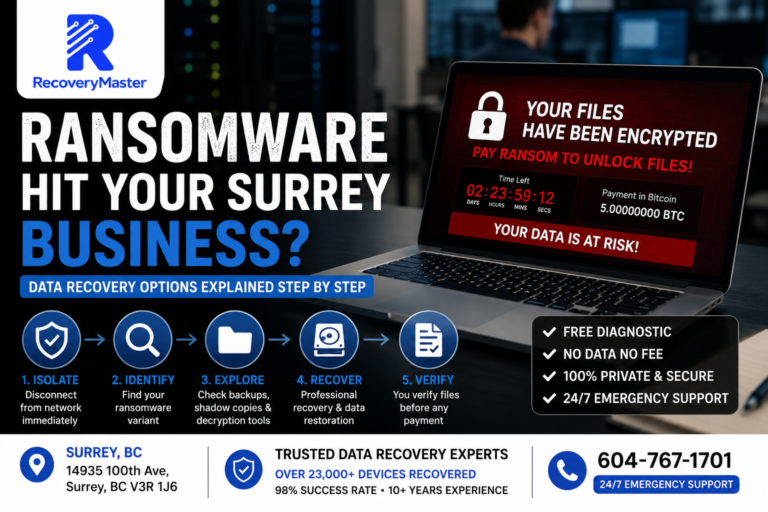
Virus deleted system files, hid your folder structure, corrupted documents, or destroyed the partition table entirely. Ransomware encrypted everything and is demanding payment. Ransomware recovery without paying is possible on older strains, partially-encrypted drives, and attacks stopped before completion. All virus and ransomware cases handled confidentially for Surrey businesses and individuals.
Unreadable Hard Drive & Bad Sector Recovery
Drive slowing down, files opening corrupted, freezes during disk access, SMART warnings in CrystalDiskInfo showing rising Reallocated Sector Count — these are early signs of hard disk physical damage spreading. An unreadable hard drive today means an unrecoverable drive soon. Stop using the drive immediately. Every additional write reduces what’s accessible.


Physically Damaged Hard Drive & Broken Connector Recovery
USB connector snapped inside an external enclosure. SATA port broken on a laptop drive. Enclosure cracked but drive intact. We remove storage from physically damaged enclosures, repair connectors where viable, and access drives using professional hardware.
Devices We Recover From — Surrey, BC
External drives: WD My Passport, WD Elements, Seagate Backup Plus, Seagate Expansion, Toshiba Canvio, LaCie — all models.
Internal HDDs: Seagate, WD, Toshiba, Hitachi — 2.5-inch laptop and 3.5-inch desktop, all capacities.
SSDs: M.2 NVMe, M.2 SATA, 2.5-inch SATA — Samsung, WD, Crucial, Kingston, SanDisk.
MacBooks: T2, M1, M2, M3 — board-level in-house.
USB drives & flash storage: All brands.
SD & microSD: SanDisk, Lexar, Samsung — cameras, drones, dashcams, phones.
RAID & NAS: Synology, QNAP, WD My Cloud — surge damage, multiple drive failures.

Why Surrey Clients Choose RecoveryMaster
No Data, No Fee
No recovery, no charge. No partial fees, no diagnostic costs on failed jobs.
Free Assessment
We assess your drive at zero cost before you commit to anything. Most clients have a quote within 24 hours.
100% In-House — Never Leaves BC
Your drive stays at our Surrey lab. Faster turnaround, better accountability.
10+ Years Experience
Over a decade recovering hard drives for clients across Surrey and Metro Vancouver.
23,000+ Devices Recovered
From family photo collections to critical business files.
Certified Recovery Equipment
Professional diagnostic hardware, chip-level firmware tools, and a HEPA-filtered clean bench.
Direct Technician Communication
You speak with the person actually working on your drive.
Your Privacy Is Protected
Your drive is handled only by your assigned technician. Files are never browsed. All copies permanently erased after delivery.
Insights
Surrey Neighbourhoods & Metro BC Areas We Serve
Our Locations
Choose your nearest service area
Frequently Asked Questions
Usually yes. Power off now, do not turn it back on. Contact us immediately.
Power off, no heat, no charging. Same-day pickup from all Surrey neighbourhoods.
Almost never. Surge burns the controller, not the data. Power off and contact us.
Yes. Do not format it. Contact us.
Usually yes on HDD. SSD — power off immediately before TRIM runs.
Yes. Free confidential assessment.
Usually yes. Could be controller, firmware, or PCB failure — all recoverable. Free assessment first.
2–5 business days for most Surrey cases.
Never. In-house at our Surrey lab, start to finish.
Yes. No recovery = no charge. No exceptions.
Yes. Corrupted data — whether from a power failure, file system error, software crash, or bad sectors — is recoverable in most cases. Corruption affects how data is accessed, not always the data itself. A certified specialist can rebuild the file system and extract your files safely. Stop using the device immediately and bring it in for a free diagnostic.
Yes. Physically damaged hard drives — including drives with head failure, seized motors, burnt PCBs, and platter damage — can often be recovered using cleanroom techniques. The extent of recovery depends on the type and severity of damage. Do not attempt to open the drive or run software on it. Bring it to our Surrey lab as soon as possible for the best chance of a full recovery.
Yes. Recovering data from your own devices is completely legal. Professional data recovery specialists operate under strict privacy laws and industry standards. RecoveryMaster performs all recovery work in-house at our Surrey lab, your data is never shared, and all files are permanently deleted from our systems once your case is closed.
Yes, in some cases. Fire damage recovery depends on the temperature the device reached and how long it was exposed. Hard drive platters can survive surprisingly high temperatures — even when the casing and circuit board are completely destroyed. Bring the device to our lab regardless of how severe the damage appears. We assess every case for free before making any promises.
Yes. Dropped hard drives are one of the most common physical recovery cases we handle. A drop can cause the read/write heads to crash into the platters, creating clicking or scraping sounds. Stop using the drive immediately — every power cycle after a head crash causes more platter damage. Physical recovery is done in a cleanroom environment to protect the data surface.
Logical data loss means the hardware is intact but data is inaccessible — caused by accidental deletion, formatting, file system corruption, or software failure. Physical data loss means the hardware itself has failed — clicking drives, burnt circuits, water damage, or broken components. Both types are recoverable, but they require completely different approaches. We handle both at our Surrey lab.
Yes. Bad sectors are areas of a drive that can no longer reliably store data. We use specialized imaging tools that work around bad sectors to extract as much data as possible before the drive fails further. Do not run chkdsk or attempt a full format on a drive with bad sectors — this can extend the damage and reduce recovery chances significantly.
Yes. Virus and malware infections that delete, encrypt, or hide your files do not necessarily destroy the underlying data. We isolate the infected drive in a secure environment, remove or bypass the malicious interference, and recover your files safely. Do not run antivirus scans repeatedly on a failing drive — this can overwrite recoverable data.
Yes. A burnt or damaged PCB (printed circuit board) is a hardware failure, not a storage failure. The data on the platters or NAND chips is typically unaffected. PCB replacement or bypass is a standard part of our physical recovery process. Never attempt to replace a PCB yourself using a matching board found online — firmware mismatches can make the drive permanently unreadable.
If your device powers on normally but files are missing, deleted, or inaccessible — it is likely logical. If your device makes unusual noises, is not recognized at all, feels hot, or was physically damaged — it is likely physical. When in doubt, do nothing and bring it to our Surrey lab. A free diagnostic identifies the exact failure type and gives you a clear recovery plan before any work begins.
Start Your Surrey Recovery Today
Power it off. Don't turn it back on. Contact us now.
📞 604-767-1701 🌐 recoverymaster.ca/connect 📍 14935 100 Avenue, Surrey, BC V3R 1J6
Free pickup: Kitsilano · Gastown · Downtown · East Van · Mount Pleasant · Yaletown · North Vancouver · Burnaby · Richmond · Surrey · Langley · Coquitlam · Vancouver · Abbotsford 2–5 business day turnaround · Data never leaves BC · No data, no fee