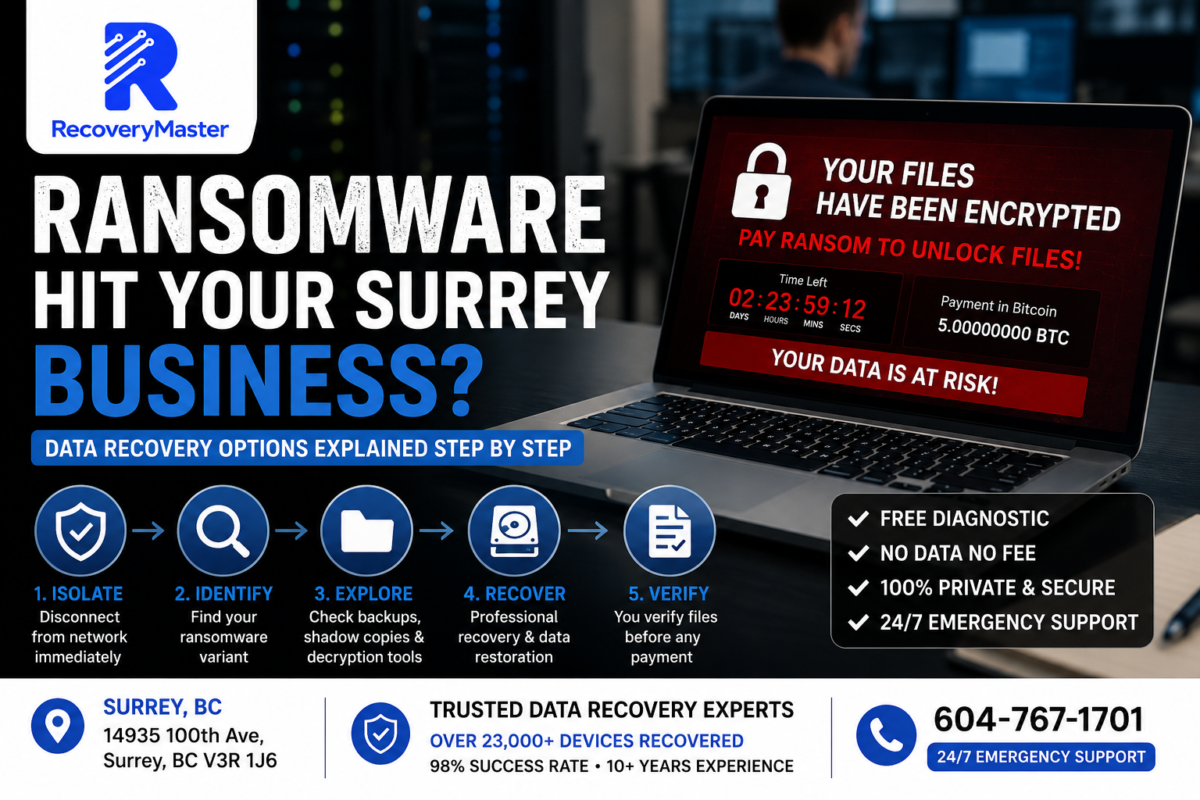
If ransomware has encrypted your files, your first move should not be to pay the ransom — it should be to disconnect the infected device from your network immediately, then contact a certified data recovery specialist to assess what recovery options actually exist. Paying first, before understanding your situation, is one of the most costly mistakes a Surrey business can make.
You’re reading this because something has gone very wrong. Files renamed with strange extensions. A ransom note on your screen. Shared drives that won’t open. The feeling that years of work might be gone in an instant.
It’s an awful situation — and it’s more common in Surrey, BC than most business owners realise. Small businesses in Newton, Guildford, Whalley, and across the Lower Mainland are targeted every day, precisely because they’re less likely to have enterprise-grade security than large corporations.
RecoveryMaster is a certified data recovery lab in Surrey that handles ransomware cases alongside physical drive failures, NAS disasters, and every other type of data loss. We’ve worked through ransomware recoveries for local businesses across Metro Vancouver — and the outcome is almost always better when the right steps are taken early.
This guide walks you through exactly what to do, in order, from the moment you realise ransomware has hit — through to understanding your realistic recovery options and what professional help can achieve.
Read this before you do anything else.
Step One: Isolate Before You Do Anything Else
The single most important action in the first five minutes is containment.
Ransomware spreads. It doesn’t just encrypt the files on one computer — it actively scans your network for connected drives, shared folders, NAS devices, cloud sync folders, and any other storage it can reach. Every second it continues running, it encrypts more.
Here is the exact isolation sequence to follow:
- Disconnect from the network immediately — unplug the ethernet cable from the infected machine first. If it’s on Wi-Fi, turn off Wi-Fi. Do not just close the lid or lock the screen.
- Isolate any NAS or shared drives — if your Synology or QNAP NAS is on the same network, disconnect it from the network as well. Pull the ethernet cable from the back of the NAS unit.
- Disconnect external drives — any USB hard drives or backup drives connected to the infected machine should be unplugged immediately.
- Do not power off the machine yet — this is counterintuitive, but some ransomware strains can be interrupted mid-encryption if you don’t power off. More importantly, certain recovery techniques work better with the machine still in its current state. Wait for professional guidance before shutting down.
- Photograph the ransom note — use your phone to photograph the ransom note on screen. This helps identify the ransomware variant.
- Alert anyone else on the network — if other machines share the same network, alert staff to disconnect immediately and check for signs of infection.
⚠️ Warning: Do not disconnect from the internet by simply closing your browser or disabling your Wi-Fi from within Windows settings — ransomware can re-enable network connections. Physically unplug the ethernet cable and, if needed, disable Wi-Fi from the router, not the infected machine.
Containment is the step that limits your total damage. Every business in South Surrey or Cloverdale that has come to us with a well-contained incident has had better recovery outcomes than those where ransomware was left running while the owner tried to figure out what was happening.
Step Two: Identify the Ransomware Variant
Not all ransomware is the same. The variant — the specific type of ransomware — determines a great deal about your recovery options.
Some variants have been cracked by security researchers. Others encrypt files so thoroughly that no decryption tool exists. Knowing which variant you’re dealing with is essential before making any decisions.
How to Identify Your Variant
Look at the ransom note. Most ransomware families have distinctive note formats and names. LockBit notes have a specific style. STOP/Djvu (one of the most common strains targeting small businesses and individuals) leaves a _readme.txt file. Phobos notes often include an email address in the encrypted filename.
Look at the file extensions. Encrypted files are renamed with a new extension — .locked, .encrypted, .STOP, .djvu, .phobos, and hundreds of others. The extension often reveals the family.
Use the No More Ransom Project. This is a free, legitimate resource at nomoreransom.org run by law enforcement and cybersecurity firms. You can upload your ransom note and a sample encrypted file, and the tool will identify the variant and tell you whether a free decryption tool exists.
Pro Tip: Check the No More Ransom Project before contacting anyone asking for payment — including the attackers. A free decryption tool may already exist for your specific variant, making the ransom demand completely unnecessary.
Common Variants Affecting Surrey Businesses
STOP/Djvu — The most widespread ransomware targeting individuals and small businesses. Decryption tools exist for older variants. Newer variants with online encryption keys are harder to crack without the attacker’s key.
LockBit — A more sophisticated ransomware-as-a-service operation targeting businesses. Less likely to have free decryption tools available.
Phobos — Common against small businesses. Some variants have partial decryption solutions.
BlackCat (ALPHV) — Enterprise-focused. Typically no free decryption tools.
The variant identification step is something the data recovery lab in Surrey BC can assist with during the free diagnostic — we identify the ransomware family as part of assessing what recovery is realistically possible.
Step Three: Understand Your Actual Recovery Options
Once you know the variant, you have a clearer picture of your options. Here they are, honestly laid out — from best case to last resort.
Option 1: Free Decryption Tool Exists
If your variant has a working decryption tool on the No More Ransom Project, this is your best path. The tool decrypts your files without paying the attacker.
Caveats: decryption tools only work for specific sub-variants. Using the wrong tool version can corrupt encrypted files further. A professional should apply these tools to ensure they’re used correctly on your specific variant.
Option 2: Recover From Backup
If you have a clean, recent backup that wasn’t connected to the network during the attack — an offline backup, a cloud backup that wasn’t actively synced, or an air-gapped drive — restoring from backup is the fastest path back to normal operations.
This is why offline backup is the single most important protection against ransomware. If your backup was connected during the attack, it may also be encrypted.
Option 3: Shadow Copy and Previous Versions Recovery
Windows creates automatic Volume Shadow Copies — snapshots of your files at various points in time. If these weren’t deleted by the ransomware (and many modern strains actively delete them as part of the attack), it may be possible to restore previous versions of your files.
At RecoveryMaster’s Surrey lab, we check for surviving shadow copies as a standard part of every ransomware diagnostic. This option is free to assess and, when it works, can restore files without any decryption needed.
Option 4: Carving From Unallocated Space
Ransomware encrypts existing files and typically deletes the originals. Before deletion, the original file data may still exist in the unallocated space of the drive — the area not currently assigned to any file.
Using professional imaging tools including the Ace Lab PC-3000 and DeepSpar, we can image the drive and attempt to carve out remnants of original, unencrypted file data from unallocated space. This works best when the ransomware didn’t overwrite original data before deleting it — some strains do, some don’t.
Option 5: Negotiate or Pay (Last Resort)
Paying the ransom should be a last resort, considered only after all other options have been exhausted. If you’re considering this path, consult a professional first. There are specific factors that affect whether payment is likely to result in actual decryption:
- Does the attacker have a working decryptor? (Not guaranteed)
- Has the attacker provided proof of decryption for other victims?
- Is the ransom demand in a range that makes sense for a legitimate attacker?
We do not facilitate ransomware payments. We do provide honest assessments of whether other options are exhausted before anyone reaches this point.
Why You Should Not Pay Without Professional Assessment First
This cannot be said clearly enough: paying the ransom before exploring alternatives is a mistake that costs Surrey businesses money they didn’t need to spend.
Here’s why:
Attackers don’t always send working decryptors. Even after payment, a meaningful percentage of victims receive a broken or incomplete decryption tool. There is no refund process for ransomware payments.
Payment doesn’t remove the threat. The attackers still have access to your systems. If the vulnerability that allowed the attack hasn’t been closed, you may be reinfected.
Double extortion is real. Some ransomware groups don’t just encrypt your data — they also steal it. Even after you decrypt, they may threaten to publish stolen business data publicly. Payment does not make this threat go away.
Free alternatives may exist. If your variant has a known decryption tool and you pay before checking, you’ve lost money you didn’t need to spend.
The Surrey data recovery service at RecoveryMaster assesses all of these factors in the initial free diagnostic — giving you a complete picture of your options before any money leaves your hands.
What Professional Ransomware Recovery Actually Involves
When a business from Fleetwood or Newton brings a ransomware-affected machine to our lab, here’s what actually happens.
Drive Imaging First Before any analysis or recovery attempt, we create a sector-by-sector image of the affected drive using the Ace Lab PC-3000. All subsequent work happens on the image. The original drive is preserved untouched. This is critical — if a recovery attempt goes wrong, we always have the original state to fall back to.
Variant Identification and Decryption Assessment We identify the exact ransomware variant and check all available decryption resources — No More Ransom, law enforcement databases, and internal intelligence from previous cases.
Shadow Copy Assessment We check for surviving Volume Shadow Copies and previous file versions that the ransomware may have missed or failed to delete.
Unallocated Space Carving Using professional file carving tools operating on the drive image, we attempt to recover pre-encryption file remnants from unallocated space. The success rate varies by ransomware variant — some strains overwrite original files before deletion, others don’t.
File System Analysis We examine the file system structure for any partially encrypted files that can be repaired, or for metadata that can help reconstruct file locations.
Verification Before Payment If recovery is successful, you verify the files before any payment is taken. Our No Data No Fee guarantee applies to ransomware cases the same as every other case type.
NAS and Server Ransomware — A Different Challenge
Ransomware on Synology or QNAP NAS devices is particularly damaging for Surrey businesses because NAS units typically store the most valuable data — shared files, databases, project archives.
Several ransomware strains specifically target internet-facing NAS devices. The most common attack vector is an exposed management port (usually accessed via a browser) combined with a weak or default password.
Specific NAS Ransomware Variants
eCh0raix (QNAPCrypt) — targeted QNAP NAS devices specifically. Some versions have decryption keys publicly available.
Synolocker — targeted older Synology NAS devices with unpatched firmware. Decryption tools exist for some versions.
DeadBolt — more recent and widespread, affecting both Synology and QNAP units. Some decryption keys were released by the attackers. Others remain encrypted.
For NAS ransomware, the recovery approach is the same: image every drive individually, assess the variant, check for decryption options, attempt shadow volume and unallocated space recovery, and verify results before any payment.
⚠️ Warning: If your NAS has been hit by ransomware, do not attempt to reset the NAS to factory settings. This will destroy the file system and significantly reduce recovery options. Power it off, disconnect it from the network, and contact a professional before touching anything else.
For businesses in the Guildford area and across Surrey, professional data recovery in Surrey for NAS ransomware is available with 24/7 emergency response — call 604-767-1701.
What You Can Do Right Now to Protect What’s Left
Even if ransomware has already hit, there are steps you can take today to protect unaffected systems and prevent a second attack.
Change all passwords immediately — starting with your router, NAS admin accounts, and Windows administrator accounts. Use strong, unique passwords for each.
Patch everything — ransomware almost always exploits known, patchable vulnerabilities. Update your operating system, NAS firmware (Synology DSM, QNAP QTS), and any server software immediately on unaffected machines.
Close external access — if your NAS or server is accessible from the internet directly (not through a VPN), close that access. NAS devices should not have their management ports exposed to the public internet.
Implement offline backup — for any business in Surrey running without an offline or air-gapped backup, this is the most urgent change to make after an incident. Ransomware cannot encrypt a drive that isn’t connected.
Document the incident — if your business holds personal customer data, a ransomware attack may trigger reporting obligations under PIPEDA (Canada’s federal privacy law). Document the timeline and scope of the incident.
Frequently Asked Questions
1. What should I do the moment I realise ransomware has hit my business?
Disconnect the infected machine from the network immediately — physically unplug the ethernet cable. Do not power off the machine yet. Disconnect any NAS or external drives on the same network. Photograph the ransom note. Do not pay anything until you’ve had a professional assess your actual recovery options. Speed of isolation limits how much data gets encrypted and how far ransomware spreads to other systems.
2. How much does ransomware data recovery cost in Surrey BC?
Costs vary depending on the ransomware variant, the number of affected drives, and which recovery methods apply. If a free decryption tool exists, recovery costs are significantly lower. Shadow copy recovery is less complex than full unallocated space carving. At RecoveryMaster Surrey BC, every case starts with a free diagnostic and written quote — you know the exact cost before any work begins and never pay without a successful result.
3. How long does ransomware recovery take in Surrey?
It depends heavily on the variant and the recovery path. Variant identification and initial assessment typically happens within 24 hours. If a free decryption tool exists and works, recovery can be completed in 1–3 days. Unallocated space carving on large drives can take longer. Emergency priority service is available for critical business cases — call 604-767-1701 to discuss your timeline and we’ll give you a realistic estimate for your specific situation.
4. Can you recover files from a hard drive that was encrypted by ransomware?
Yes — in many cases. Recovery depends on the ransomware variant, whether shadow copies survived, whether pre-encryption file remnants exist in unallocated space, and whether a decryption tool is available. We create a full image of the drive before attempting any recovery, so no attempt risks the original data state. Even partial recovery — getting your most critical files back — is often achievable when full decryption isn’t possible.
5. Can you recover data from a water-damaged device in Surrey BC?
Yes. Water damage to laptops, phones, and external drives is one of the most common cases we handle at our Surrey lab. Do not attempt to power on a water-damaged device. Remove the battery if accessible and bring it in as soon as possible — ideally within 24–48 hours. The drives are often intact even when the device itself is damaged beyond repair, and in most cases full data recovery is achievable.
6. What does “No Data No Fee” mean for ransomware recovery?
It means exactly the same thing as for any other case — you don’t pay the recovery fee unless we successfully recover your data, and you verify the files personally before any payment is taken. For ransomware cases, verification involves confirming that your critical business files are accessible and intact. Visit RecoveryMaster to understand how this guarantee is structured and applied to every case type including ransomware.
7. Is my business data kept private during ransomware recovery?
Yes, completely. All work is performed in-house at our Surrey lab at 14935 100th Ave. Your data never leaves British Columbia. We maintain a strict chain of custody on every case. For business clients with regulatory or confidentiality requirements — healthcare, legal, financial services — we can provide additional documentation. No third parties handle your data at any point during the recovery process.
8. Can I ship my ransomware-affected drives to your lab from outside Surrey?
Yes. We handle cases from across BC and beyond. Ship drives individually in anti-static bags, well padded, in a rigid box using a tracked courier. For NAS units, ship the entire device if possible — the controller configuration and drive order matter for RAID reconstruction. Contact hi@recoverymaster.ca before shipping so we can prepare. Our address is 14935 100th Ave, Surrey BC V3R 1J6.
9. Do you offer emergency ransomware recovery in Surrey?
Yes — 24/7 emergency support is available for ransomware attacks. Call 604-767-1701 any time. For businesses that cannot afford extended downtime, we offer priority assessment and expedited recovery timelines. The sooner you contact us after containment, the more recovery options remain available. Visit the local data recovery lab serving Surrey page for details on emergency response options.
10. Can you recover files I accidentally deleted or a drive I accidentally formatted?
Yes — accidental deletion and accidental format are among the most recoverable situations we handle, provided you stop using the drive immediately after the mistake. Every file you save after an accidental deletion risks overwriting the data you need. Bring the device in as soon as possible without writing new data to it. Recovery success rates for these cases are high when the drive hasn’t been heavily used post-incident.
11. Can ransomware affect a RAID or NAS system?
Yes — and NAS systems are specifically targeted by several ransomware families. Synology and QNAP NAS devices have been hit by eCh0raix, DeadBolt, and Synolocker, among others. Recovery from NAS ransomware follows the same process as standalone drive recovery — each drive is imaged individually, the RAID is virtually reconstructed, and recovery options are assessed based on the specific variant. Visit trusted data recovery experts in Surrey BC for ransomware NAS recovery details.
12. Should I pay the ransom or try to recover my files another way first?
Always explore other options before paying. Check the No More Ransom Project for free decryption tools. Have a professional assess whether shadow copies survived and whether pre-encryption data exists in unallocated space. Paying should only be considered after these options are genuinely exhausted. Even then, payment doesn’t guarantee working decryption, and it doesn’t remove the attackers’ access or eliminate the threat of data being published.
13. What equipment do you use for ransomware data recovery?
We use the Ace Lab PC-3000 to create sector-by-sector drive images before any analysis begins, DeepSpar Disk Imager for drives with physical issues alongside ransomware encryption, and professional file carving tools for unallocated space recovery. All ransomware work is performed on drive images — the original drive is never touched after imaging. This preserves every recovery option throughout the process, regardless of what techniques are attempted.
14. What is your success rate for ransomware data recovery?
RecoveryMaster maintains a 98% success rate across all case types. Ransomware cases specifically vary — variants with available decryption tools or surviving shadow copies have very high recovery rates. Cases involving sophisticated ransomware with no known decryption key and complete shadow copy deletion have lower rates, and we tell you this honestly during the diagnostic rather than taking money for work unlikely to succeed. Honest assessment is part of the service.
15. How do I know if my encrypted files are actually recoverable?
The free diagnostic answers this definitively. Key factors that improve recovery chances: the ransomware was contained quickly, shadow copies weren’t fully deleted, the variant has a known decryption tool, and the drives haven’t been wiped or reset. Key factors that reduce chances: the attack ran for an extended period, factory resets were performed, or the variant uses strong online encryption with no known key. Contact data recovery in Surrey for a no-obligation assessment.
Three things to take away from everything above.
First: The first five minutes matter more than anything else. Isolation — physically disconnecting the infected machine and any connected NAS from the network — limits total damage and preserves more recovery options than any other single action.
Second: Paying the ransom without exploring alternatives is almost always the most expensive path. Free decryption tools, shadow copy recovery, and unallocated space carving are all options that should be assessed first — at no cost to you.
Third: Professional ransomware recovery always starts with imaging the original drive. No legitimate technique risks the original data state. Every option stays open throughout the process.
RecoveryMaster has served Surrey and Metro Vancouver for over 10 years with a 98% success rate across 23,000+ recovered devices. Our No Data No Fee guarantee applies to ransomware cases the same as every other case — you verify recovered files before any payment is requested.
Call 604-767-1701 any time — 24/7 emergency response is available. Walk-in appointments at 14935 100th Ave, Surrey BC V3R 1J6 are welcome Monday through Saturday.
Request a free quote today — no cost, no commitment, just a clear picture of what’s recoverable and what your options are.
For full details on local ransomware and data recovery services, visit professional data recovery in Surrey. Whatever happened to your data — we’ve likely seen it before, and we know how to approach it.
FAQ — ransomware hit surrey
How long does ransomware hit surrey take?
Most ransomware hit surrey cases at RecoveryMaster are completed within 24-48 hours at our Surrey lab. Emergency ransomware hit surrey with same-day assessment available. Visit 14935 100th Ave, Surrey BC or call 604-767-1701.
How much does ransomware hit surrey cost?
Every case starts with a free diagnostic. Upfront pricing, No Data No Fee guarantee.
Why choose RecoveryMaster for ransomware hit surrey?
23,000+ devices recovered, 98% success rate, certified Surrey BC lab, free diagnostics, 24/7 emergency support.