Surrey's Only Dedicated SSD Recovery Lab

Expert SSD
Data Recovery in Surrey, BC.

Your SSD stopped working. Not detected. Dead. Suddenly gone. Whatever it is doing right now — stop. Do not restart the device. Do not plug it back in. RecoveryMaster is a certified SSD data recovery lab at 14935 100th Ave, Surrey, BC. Free diagnostic on every case. No Data, No Fee. You verify your files before you pay anything.

Free Diagnostic — Always
No Data, No Fee
23,000+ Devices Recovered
98% Success Rate
Data Never Leaves BC
You Verify Files Before Paying
Surrey Lab · Track Record
23K+Devices Recovered
98%Success Rate
🔬
Ace Lab PC-3000 & NAND extraction tools
🛡️
Chip-level controller bypass capability
🔒
Files never browsed · chain of custody
📍
14935 100th Ave, Surrey · 604-767-1701
The Real Question

Your SSD failed. Is the data gone?

No — in most cases, it is not. SSDs store data on NAND flash chips, not moving parts. When an SSD fails, the failure is almost always in the controller, firmware, or PCB — not the chips where your files actually live. Your data is still physically present. The drive simply cannot access it anymore.

What destroys recovery chances is what happens after the failure. Plugging it in again. Running recovery software. Trying to boot from it one more time. Each of these stresses a failing controller and can corrupt the translation layer — the internal map that tells the drive where every file is stored.

Disconnect the drive now. Do not reconnect it. Contact RecoveryMaster for a free diagnostic before anything else.

If your laptop's SSD is soldered to the board, see our laptop data recovery in Surrey page for board-level recovery details.
Critical · Read Now
If your SSD is not detected, showing errors, or suddenly dead — do not keep reconnecting it. Every reconnection forces a failing controller to re-initialize under fault conditions. Stop now.
Get Your Free Diagnostic →
Identify Your Problem

What is your SSD doing right now?

Different SSD symptoms point to different failure types. Identifying the issue early improves the chances of successful SSD data recovery in Surrey.

Medium–High 🖥️

SSD Not Detected or Recognized

Not showing up in BIOS, Windows, or Mac — controller failure, PCB damage, or corrupted service area. Every reconnection forces a failing controller to re-initialize under fault conditions.

Stop reconnecting. Do NOT format the drive.
Get help with this →
Medium–High ⚠️

SSD Not Booting

Laptop hanging on startup, looping, or throwing drive errors — commonly firmware corruption or bad blocks at the system partition. Consumer recovery software makes this worse.

Do NOT run startup repair software on a physically failing SSD.
Get help with this →
High Severity 💀

SSD Suddenly Dead — No Warning

Working yesterday. Gone today. Typically full controller failure, PCB-level electrical damage, or NAND wear. In all three scenarios, the NAND chips holding your files are usually intact.

Power off and disconnect immediately.
Get help with this →
Medium Severity 📁

Corrupted SSD — RAW or Missing Files

Drive detected but showing as RAW, wrong capacity, or missing files — translation layer damage or firmware corruption. The drive's internal map has broken down.

Do NOT format. Do NOT write anything to the drive.
Get help with this →
High Severity 💻

MacBook SSD Not Working

From 2017 onwards, most MacBook SSDs are soldered to the logic board — standard removal is not possible. Recovery requires chip-level NAND extraction and board-level work.

Do NOT attempt DIY recovery on a soldered MacBook SSD.
Get help with this →
Lower Severity 🗑️

Accidentally Deleted or Formatted SSD

Data still present on NAND chips — the file system marked those regions as available. However, TRIM can actively erase those regions. Every minute the drive stays in use reduces recovery chances.

Stop using the drive immediately. Do NOT install software.
Get help with this →
The Process

How RecoveryMaster recovers your SSD data — zero risk.

You carry zero financial risk from the moment you make contact. Free diagnostic on every case.Surrey lab — no third-party involvement at any stage.

1
Free Diagnostic — Always
A technician assesses your SSD and identifies the exact failure type — controller, firmware, NAND, PCB, or logical. No charge on every case. No obligation to proceed.
2
Written Quote Before Any Work
A clear written quote with confirmed turnaround before anything starts. No surprise fees. No work begins without your written approval.
3
In-House Recovery at the Surrey Lab
Everything happens at 14935 100th Ave, Surrey. Depending on failure type: firmware repair using Ace Lab PC-3000, controller bypass, NAND chip extraction, or translation layer reconstruction — all in-house. Data never leaves BC.
4
You Verify, Then You Pay
Verified file listing on completion. You confirm the files are present. Payment only after you verify. No other SSD data recovery service in Surrey does this.
If recovery is not successful, you pay nothing. Not a reduced fee. Not a diagnostic charge. Zero — on every case, without exception.
Timeline

SSD data recovery turnaround times — Surrey lab.

Most competitors in Metro Vancouver quote 7–10 business days as standard. RecoveryMaster's standard is 3–5 days — with same-day emergency SSD recovery available for mission-critical cases.

3–5 Days
Standard
No surcharge
Full assessment, written quote, and recovery at standard workflow.
2–3 Days
Priority Rush
Priority surcharge applies
Your case moves to the front of the queue immediately after written approval.
24–48 Hrs
Urgent Rush
Urgent surcharge applies
A dedicated technician is assigned exclusively to your case from diagnostic through delivery.
Same Day
Emergency
Emergency surcharge applies
Drives received before noon. Immediate start. Mission-critical cases only.
No timeline is committed and no work begins until you have reviewed and approved the written quote.
Why Surrey Chooses Us

Why Surrey residents and businesses choose RecoveryMaster for SSD recovery.

Most places in Metro Vancouver offering SSD recovery are general repair shops with consumer software. They cannot address controller failure, NAND-level damage, or encrypted flash media. Visit Site can.

01
The Only Dedicated SSD Recovery Lab in Surrey
Located at 14935 100th Ave, Surrey — not a Vancouver company listing Surrey as a service area. Faster turnaround from day one. Free pickup across Greater Vancouver including Langley, Burnaby, Richmond, Coquitlam, and Delta.
02
Specialist Hardware — Not Consumer Software
Ace Lab PC-3000 and specialist NAND extraction tools — the same equipment used by professional labs worldwide. Consumer software like Disk Drill or Recuva works through the SSD controller. When the controller fails, consumer software does nothing. Ace Lab bypasses it entirely.
03
98% Success Rate Across 23,000+ Recoveries
Documented across all case types — SSD controller failures, firmware corruption, water-damaged drives, and cases that arrived after other labs had already attempted recovery.
04
You Verify Files Before Paying — No Conditions
If data is not recovered, you pay nothing — including no diagnostic fee. If recovery succeeds, you confirm your files from the verified listing before any payment. No other SSD recovery service in Surrey offers this.
05
Your Data Never Leaves BC
All imaging, NAND extraction, firmware repair, and file extraction happen in-house at the RecoveryMaster Surrey lab. No third-party facilities involved at any stage.
06
Direct Technician Communication
You speak with the person actually working on your SSD — not a receptionist or support line. Direct updates throughout the entire process.
Customer Reviews

Trusted by Surrey and Greater Vancouver customers.

★ ★ ★ ★ ★

200+ verified Google reviews · 4.9 average rating

★ ★ ★ ★ ★

"My Samsung 970 EVO NVMe just stopped showing up one morning. RecoveryMaster had everything back in two days. Free diagnostic, written quote before they touched anything, and I confirmed every file myself before paying a single dollar."

Michael T. · Burnaby, BC
★ ★ ★ ★ ★

"I had already run Disk Drill on my SSD before I knew better. RecoveryMaster explained exactly what had happened, what was still recoverable. No pressure, no upselling. Got back 94% of my files — including the ones I needed most."

Priya S. · Surrey, BC
★ ★ ★ ★ ★

"Spilled water on my MacBook Pro. The SSD was soldered — two other shops said the storage was gone. RecoveryMaster did chip-level work and recovered everything. I didn't pay until I confirmed the files were there."

Sandra L. · Vancouver, BC
Security Protocol

Data privacy & chain of custody at RecoveryMaster.

Your files are never opened. Not once. File integrity is verified through checksums and Structure Analysis only. Every step from intake to delivery is documented, restricted, and handled by one person.

Intake Logging
Every device photographed and logged with a unique case number, serial, model, and condition on arrival.
Restricted Access
Only your assigned technician handles your device throughout. No shared workstations, no cross-case access.
Files Never Browsed
File integrity verified through checksums and file-structure analysis only — not by opening or viewing your content.
Secure Delivery
Transferred to a new storage device or via password-protected download. All lab copies permanently purged.
Your Original Device
After delivery confirmation, you decide: return it, hold it, or secure destruction. All lab data erased regardless.
Chain of Custody on Every Case
All Lab Copies Purged After Delivery
SSD Failure Types

SSD failure types RecoveryMaster recovers — in-house at the Surrey lab.

Every failure type below is handled at the Surrey lab with specialist hardware — not consumer software.

1
🔌
Controller Failure
The controller chip manages all communication between NAND memory and your computer. When it fails, the drive becomes undetected or unreadable.
Our fix: Controller bypass — data extracted directly from NAND memory chips using specialist hardware.
2
⚙️
Firmware Failure
SSD firmware maps where all data is stored on the NAND. Corruption causes erratic behaviour, wrong capacity, freezing on read, or failure to complete startup.
Our fix: Ace Lab PC-3000 addresses firmware failures directly — without risking the NAND data.
3
💾
NAND Wear & Bad Blocks
Heavy-use drives exhaust write cycles on each NAND cell. The drive becomes unstable, sectors go unreadable, and the file system degrades progressively.
Our fix: Recover all accessible data before failure cascades further — specialist NAND imaging in-house.
4
📁
Corrupted File System / RAW Drive
Drive detected but file system unreadable or partition disappeared. Translation layer corruption or interrupted write operations — do not format.
Our fix: Translation layer reconstruction — rebuilding the drive's internal file map without overwriting your data.
5
💧
Water or Electrically Damaged SSD
Liquid causes rapid PCB corrosion. Power surges destroy the PCB and sometimes the controller. NAND chips are typically intact if the drive is not powered on after damage.
Our fix: PCB repair or NAND extraction — do not power on after water exposure.
6
🔓
SSD Chip-Off — NAND Extraction
When controller bypass and firmware repair are not possible, NAND chips are physically removed, read independently, and reassembled digitally.
Our fix: Specialist chip-off procedure performed entirely in-house at the Surrey lab.
Every SSD Type — Covered

NVMe, M.2, SATA, MacBook, External — all recovered in-house.

Every SSD type handled at the Surrey lab — from NVMe workstation drives to soldered MacBook storage and portable external SSDs.

NVMe SSD
PCIe NVMe drives in high-performance laptops, workstations, and desktops · controller, PCB, firmware, NAND
📱
M.2 SSD
SATA and NVMe M.2 form factor · not detected in BIOS, sudden death, corrupted file system
💿
SATA SSD
Common in older laptops, budget desktops, server environments · controller, firmware, bad blocks, PCB
🍎
MacBook SSD
Soldered storage on MacBook Pro/Air 2017+ · chip-level NAND extraction & board-level work
🧳
External SSD
Samsung T5/T7 · SanDisk Extreme · WD My Passport SSD · LaCie Rugged SSD · enclosure tested separately
🏢
Enterprise SSD
SAS SSD · enterprise SATA · server-grade storage · PCIe and mSATA legacy formats
🔒
Encrypted SSD
BitLocker · FileVault · hardware-encrypted drives · decryption after extraction with credentials
🖥️
Desktop SSD
All desktop SSD form factors · full failure coverage across consumer and prosumer hardware

SSD brands we recover in Surrey

Samsung Western Digital WD Black NVMe SanDisk Crucial Kingston SK Hynix Seagate Intel Micron
Honest Advice

Don't do these after an SSD fails — they make recovery harder.

These are the actions that turn a recoverable SSD failure into an unrecoverable one.

Running Consumer Recovery Software
Disk Drill, Recuva, and similar programs work by sending read commands through the SSD's controller. On a failing drive, this forces a damaged controller to keep operating — accelerating failure and corrupting the translation layer.
Repeated Power Cycling
Plugging in, waiting, unplugging, trying again is one of the fastest ways to turn a recoverable failure into an unrecoverable one. Each power cycle re-initializes a failing controller under stress.
Flashing or Updating Firmware
Firmware repair is one of the most common SSD recovery procedures. Attempting it without specialist hardware destroys the original firmware mapping and can permanently brick the drive.
Continuing to Use a Failing Laptop
If your laptop is running from an SSD showing errors — every new write to that drive risks overwriting data that still needs to be recovered. Stop all use immediately.
Assuming TRIM Already Erased Everything
TRIM is active on most modern SSDs but does not erase instantly and is not always enabled in all configurations. Do not assume the data is gone without a professional assessment first.
Mail-In Service

Secure mail-in SSD Data Recovery — anywhere in Canada.

Not in Metro Vancouver? Your SSD is assessed the same day it arrives at the Surrey lab. The same No Data, No Fee guarantee applies to every mail-in case.

1
Contact RecoveryMaster
Call 604-767-1701 or submit online. A technician confirms the safest packaging approach for your specific SSD model and provides full instructions — so the device arrives without additional damage in transit.
2
Ship Securely
Pack using anti-static wrapping and a rigid outer box — full guidance provided at booking. Ship to 14935 100th Ave, Surrey, BC V3R 1J6 via tracked service with declared value. Logged same day on arrival.
3
In-House SSD Recovery
Diagnosed and recovered in-house using Ace Lab PC-3000 and specialist NAND extraction hardware. No third-party handling. Data never leaves BC. Written quote approved before any work begins.
4
Data Returned — After You Confirm
Files delivered on a new external drive or via password-protected download. You confirm files are present before payment. All lab copies then purged.
No Data, No Fee applies to every mail-in SSD case — if recovery is not successful, you pay nothing.
Common Questions

SSD Data Recovery — frequently asked questions.

Straight answers about SSD recovery, cost, TRIM, and what to do right now.

Stop reconnecting it immediately. Power off the device and disconnect the drive. Do not run recovery software. Contact RecoveryMaster in Surrey for a free diagnostic — no charge even if you decide not to proceed. The technician will identify the failure type and confirm what is recoverable before any work starts.
SSD data recovery cost depends on the failure type and complexity. Logical failures are simpler than controller failure or chip-off NAND extraction. RecoveryMaster provides a free diagnostic and a written quote before any work begins. You pay only after your data is recovered and you confirm the files yourself.
Yes, in most cases. A completely dead SSD has typically suffered controller failure, PCB damage, or firmware corruption — not destruction of the NAND chips where your files are stored. RecoveryMaster uses Ace Lab PC-3000 and specialist NAND extraction hardware to recover data from SSDs with zero response.
If RecoveryMaster cannot recover your SSD data, you pay nothing — no diagnostic fee, no partial charge, no admin cost. Zero. If recovery succeeds, you receive a verified file listing and confirm your files yourself before any payment is taken. This applies to every case without exception.
Yes. Most MacBook Pro and MacBook Air models from 2017 onwards have storage soldered to the logic board — standard recovery is not possible. RecoveryMaster handles soldered MacBook SSD recovery in-house at the Surrey lab using chip-level NAND extraction.
Not necessarily. TRIM marks regions for erasure but does not always execute immediately and is not active in all configurations. Even on drives where TRIM is enabled, recovery is often still possible in the window after data loss. Do not assume the data is gone — get a free diagnostic first.
Standard turnaround is 3 to 5 business days. Priority Rush is 2 to 3 business days. Urgent Rush is 24 to 48 hours with a dedicated technician. Same-Day Emergency is available for drives received before noon. The timeline is confirmed in the written quote after the free diagnostic is approved — no work begins before you approve.
Insights

Insights from the lab.

Practical advice on data recovery, what to do when an SSD fails, and how to protect your files.

Other Locations We Serve

Data recovery services across Greater Vancouver.

RecoveryMaster serves every community in Metro Vancouver. Free pickup from all locations listed below. Walk-in at our Surrey lab. Mail-in from anywhere in Canada.

Damage & Corruption Data Recovery in Langley
Free pickup · Walk-in · Mail-in
View →
Damage & Corruption Data Recovery in Surrey
Free pickup · Walk-in · Mail-in
View →
Damage & Corruption Data Recovery in Vancouver
Free pickup · Walk-in · Mail-in
View →
Data Recovery in Langley
Free pickup · Walk-in · Mail-in
View →
Get Started

Your SSD data is most likely still there — we'll get it back.

Your photos. Your work. Your memories. In most SSD failures, the data is still sitting on the NAND chips — untouched, waiting to be recovered. The window is open right now. Every power cycle narrows it.

Start My Free Assessment Call 604-767-1701
🚗 Free pickup across Metro Vancouver
From the Blog

Tips, guides & repair insights.

Uncategorized Jun 2, 2026
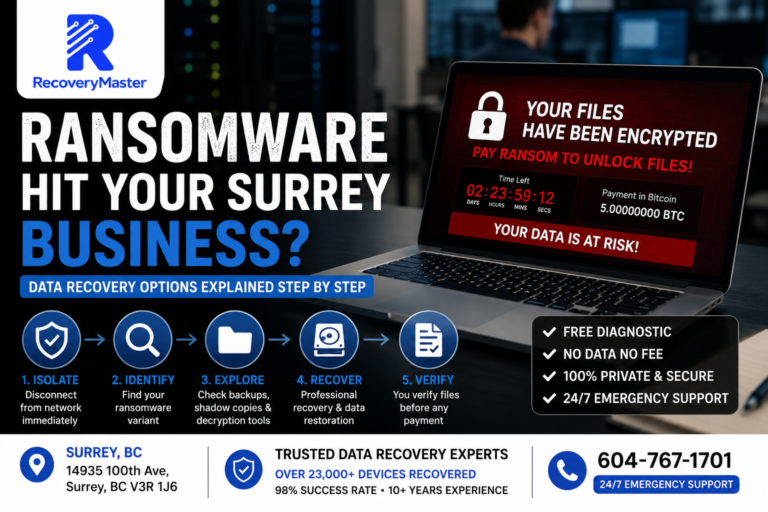
Ransomware Hit Your Surrey Business? Data Recovery Options Explained Step by Step
If ransomware has encrypted your files, your first move should not be to pay the ransom — it…
Read more →
Data Recovery Jun 2, 2026
RAID Server Failure in Surrey? Why Every Hour Matters (And What Not to Do)
When a RAID array or NAS fails, the single most dangerous thing you can do is keep it…
Read more →
Data Recovery May 24, 2026
What Does “No Data No Fee” Actually Mean for Data Recovery in Surrey?
“No Data No Fee” means one thing: if a data recovery lab doesn’t successfully recover your files, you…
Read more →
View All Posts →
Visit · Call · Ship
RecoveryMaster
Certified data recovery lab in Surrey, BC. Drop-off, free pickup, mail-in from anywhere in Canada.
Surrey Vancouver Langley Burnaby Richmond Delta Coquitlam + All of Greater Vancouver
Address
14935 100th ave, Surrey BC V3R 1J6
Hours
Mon–Sat · Walk-in
24/7 Emergency Support