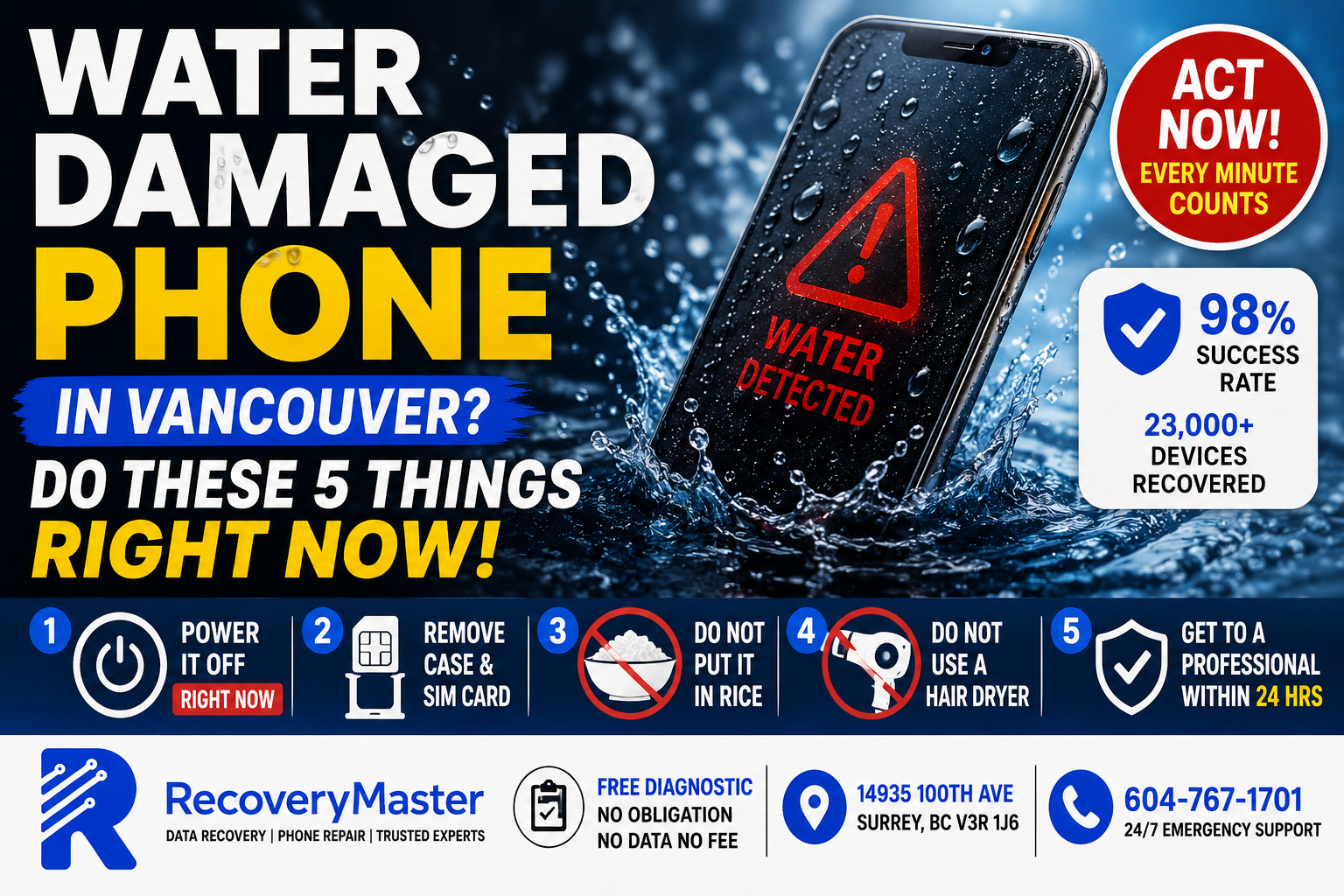
If your phone just got dropped in water, here’s the single most important thing to know: do not plug it in. Powering a wet phone — even briefly — causes an electrical short that triggers corrosion inside the device. That corrosion spreads fast and turns a recoverable situation into a permanent one within hours.
You’re probably panicking right now. That’s normal. But the next ten minutes matter more than anything you do after that.
RecoveryMaster is a certified data recovery and device repair lab located at 14935 100th Ave, Surrey BC V3R 1J6. They’ve recovered data from thousands of water-damaged phones across Metro Vancouver — iPhones, Samsung Galaxy devices, Google Pixels, and more. With a 98% success rate and over 23,000 devices recovered, they know exactly what works and what makes things worse.
This post gives you a clear, step-by-step action plan for the next ten minutes — and explains what happens if you wait too long.
The First 5 Things to Do After Dropping Your Phone in Water
Speed matters. The difference between a recovered device and a destroyed one often comes down to what you do in the first ten minutes.
1. Power It Off — Right Now
If the screen is still on, turn it off immediately. Don’t swipe through apps, don’t check if your photos are still there, don’t call someone to tell them what happened.
Every second the phone stays powered on with water inside pushes electricity through wet components. That creates tiny electrochemical reactions — the beginning of corrosion. Your goal is to stop electricity flowing through moisture as fast as possible.
If the phone is already off and won’t turn on, that’s actually a good sign. Don’t try to boot it.
2. Remove the Case and SIM Card
Pop the case off. Take the SIM card out of its tray. If your phone has a removable battery (some older Samsung and LG models do), remove that too.
These steps help moisture escape and prevent the SIM tray from trapping water against the connectors.
3. Do Not Put It in Rice
This is the most repeated piece of bad advice on the internet, and it genuinely causes harm.
Rice does not absorb moisture from inside a phone. The grains can’t reach the internal components. What rice actually does is leave starch dust on the connectors and ports, which creates additional problems when a technician tries to clean the board.
Silica gel packets are marginally better at drawing surface moisture, but neither option addresses the real threat: internal corrosion that begins within hours of water exposure.
4. Do Not Use a Hair Dryer
Heat accelerates corrosion and can warp internal components. It also drives moisture deeper into the device rather than drawing it out. Leave the hair dryer in the bathroom.
5. Get It to a Professional Within 24 Hours
> ⚠️ Warning: The 24-hour window is real. Corrosion spreads continuously after water exposure, even when the phone is powered off. Phones brought in within 24 hours have significantly better recovery outcomes than phones that sat for 2–3 days while the owner tried home remedies.
The sooner a technician can clean the board and assess the damage, the better your chances of recovering both the device and your data.
Why “Waterproof” Ratings Don’t Protect You as Much as You Think
Your iPhone 15 is rated IP68. Your Samsung Galaxy S24 is rated IP68. You may have seen the ads with phones dunked in fish tanks.
Here’s what the rating actually means: the device can withstand submersion in up to 1.5 metres of fresh water for up to 30 minutes — under controlled lab conditions, with a brand-new device.
It does not account for:
- Salt water, chlorinated pool water, or any liquid other than fresh water
- A device with worn seals from previous drops or age
- Pressure (diving, a strong tap blast, a toilet flush)
- Anything other than the exact test conditions used in certification
Most water damage cases that come into RecoveryMaster’s Surrey lab involve devices that technically have waterproof ratings. Toilet drops, ocean splashes, puddle falls, and kitchen sink incidents — none of these match the IP68 test conditions.
Your phone may feel fine immediately after. Corrosion is invisible. It doesn’t announce itself until the damage is done.
What’s Actually Happening Inside Your Phone After Water Exposure
Understanding this helps you understand why certain actions are so harmful.
Corrosion Is the Real Enemy
Water itself doesn’t destroy electronics — it’s what water does over time that causes permanent damage. When water contacts metal circuit traces on your phone’s logic board (the main internal circuit board), it creates an electrochemical reaction. That reaction corrodes the metal, eating through connections at a microscopic level.
The process is slow enough that the phone might work perfectly for a few hours after water exposure. Then components start failing. First the charging port. Then the speaker. Then the screen. Then nothing.
Powered Electricity Accelerates Everything
When electricity is running through wet circuits, the corrosion process accelerates dramatically. This is why charging the phone is the single most damaging thing you can do. It doesn’t just risk a short circuit — it actively feeds the corrosion process.
This is also why “it turned on after drying and seemed fine, then stopped working two weeks later” is one of the most common stories technicians hear. The corrosion continued spreading after the phone appeared to recover.
Salt Water and Minerals Make It Worse
If your phone was dropped in the ocean, a pool, or any liquid other than tap water, the mineral content accelerates corrosion dramatically. Salt water cases need to be treated as emergencies — the timeline for irreversible damage is measured in hours, not days.
What a Professional Lab Does That You Can’t Do at Home
This is the section most blogs skip. Here’s what actually happens when a water-damaged phone arrives at a professional recovery lab.
Ultrasonic Cleaning
The logic board is removed from the phone and submerged in an ultrasonic cleaning solution — a liquid that vibrates at ultrasonic frequencies to physically dislodge corrosion, mineral deposits, and debris from the board’s surface. This reaches places no cotton swab or compressed air can touch.
Isopropyl Flush
After ultrasonic cleaning, the board is flushed with high-concentration isopropyl alcohol (90%+) to displace remaining moisture and neutralize corrosive residue. This is not the same as spraying rubbing alcohol on it at home — the concentration, process, and drying method matter significantly.
Microscopic Assessment
Technicians examine the board under magnification to identify damaged components, corroded traces, and failed solder joints. Some damage is repairable. Some components can be replaced. In cases of severe corrosion, data recovery from the flash memory chip itself (called NAND extraction) may be possible even when the phone can’t be repaired.
NAND Extraction — When the Phone Is Beyond Repair
If the logic board is too damaged to repair, a technician can physically remove the NAND flash chip — the memory chip that stores all your photos, messages, and app data — and read it directly using specialist tools. This is a last resort, but it works. RecoveryMaster uses specialist NAND extraction equipment for exactly these cases.
How to Find Trustworthy Water Damage Repair in Metro Vancouver
Not every repair shop is equipped to handle water damage properly. Many “phone repair” kiosks in malls offer a quick clean and charge the phone to test it — exactly the wrong approach.
Pro Tip: Ask any shop these questions before handing over a water-damaged phone:
- Do you perform ultrasonic cleaning, or just isopropyl rinse?
- Do you remove the logic board for cleaning, or clean it in the housing?
- If the phone can’t be repaired, can you still recover the data?
A shop that charges you the same day without doing a proper board-level assessment isn’t doing water damage recovery — they’re doing a basic clean and hope.
For data recovery in Surrey, RecoveryMaster handles water damage cases with full board-level assessment, ultrasonic cleaning, and NAND extraction capability for worst-case scenarios. The diagnostic is free and you pay only if recovery is successful.
RecoveryMaster serves customers from across Metro Vancouver — whether you’re in Newton, Guildford, Whalley, Fleetwood, Cloverdale, South Surrey, or further out. Walk in Monday through Saturday or call 604-767-1701 for 24/7 emergency support.
What About My Data Specifically?
Your photos, messages, contacts, banking apps, and personal documents are stored on the NAND flash chip inside your phone. That chip is physically separate from the components most likely to fail from water damage.
In many cases — even when the phone itself is beyond repair — the data is still fully intact on the chip.
This is an important distinction. “The phone is dead” does not mean “the data is gone.” These are two different questions, and a professional lab can answer both separately.
iPhone Data Recovery After Water Damage
iPhones encrypt their storage at the hardware level. Recovering data from a water-damaged iPhone requires either getting the phone working again (so you can log in and authorize the device) or using advanced techniques to access the encrypted chip. RecoveryMaster has recovered data from water-damaged iPhones that other labs declared unrecoverable.
Android Data Recovery After Water Damage
Android devices — Samsung Galaxy, Google Pixel, OnePlus, and others — vary in encryption implementation. In many cases, NAND extraction from an Android device yields directly accessible data. The success rate is generally high when the chip itself hasn’t been corroded.
The Surrey data recovery service covers both iPhone and Android water damage cases, with no data no fee on all recovery work.
What If You Waited — Is It Too Late?
Not necessarily. It depends on how long, what happened during that time, and whether the device was powered on.
Here’s a rough guide:
- Under 24 hours, phone was powered off: Strong recovery chances. Get it in immediately.
- 24–72 hours, phone was powered off: Possible, but corrosion has progressed. Success rate drops but recovery is still frequently achieved.
- Phone was charged or powered on after water exposure: More challenging. The electrical activity accelerates corrosion. Some cases are still recoverable; some aren’t. Worth a free diagnostic.
- Weeks or months later: The honest answer is that it depends on the specific phone, the liquid involved, and the storage conditions. Phones stored in a dry place fare better. It’s always worth getting assessed rather than assuming the data is gone.
> ⚠️ Warning: One of the most common calls RecoveryMaster receives goes like this: “My phone got wet two weeks ago, I put it in rice, and now it won’t turn on.” The rice didn’t help and the delay allowed corrosion to spread unchecked. If this is you — don’t give up yet. Bring it in for a free diagnostic.
Frequently Asked Questions
1. What should I do immediately after dropping my phone in water?
Power it off instantly — don’t swipe through anything, just shut it down. Remove the case and SIM card. Do not put it in rice, do not use a hair dryer, and most importantly, do not plug it in to charge. Every minute the phone stays powered on with moisture inside accelerates corrosion on the internal circuit board. Contact a professional data recovery lab within 24 hours for the best chance of saving both the device and your data.
2. How much does water damage phone recovery cost in Surrey BC?
Pricing depends on the extent of damage, the phone model, and whether data recovery or full device repair is needed. RecoveryMaster provides a completely free diagnostic with no obligation to proceed. The No Data No Fee policy means you pay only if your data is successfully recovered. Call 604-767-1701 or visit the certified recovery and repair lab in Surrey to get an honest assessment before committing to anything.
3. How long does phone data recovery take in Surrey?
Most water damage assessments are completed within 24–48 hours. Simple recoveries where the phone can be cleaned and revived may be done faster. Complex cases involving NAND chip extraction take longer, depending on the phone model and encryption type. Emergency turnaround is available — call ahead and explain your urgency. RecoveryMaster will give you a realistic timeline specific to your device after the initial diagnostic.
4. Can you recover data from a clicking hard drive?
Yes. A clicking hard drive has a mechanical failure — typically involving the read/write heads — and is one of the most common recovery cases RecoveryMaster handles. As long as the platters haven’t been scratched by continued use, professional head replacement and imaging can recover your data. The key is to power it off immediately and not restart it. RecoveryMaster uses the Ace Lab PC-3000 for exactly these cases and achieves a 98% success rate across all mechanical failures.
5. Can you recover a water-damaged phone in Surrey BC?
Yes — in the majority of cases. Water damage phone recovery is one of RecoveryMaster’s most common case types. Success depends largely on how quickly the phone is brought in and whether it was charged after the water exposure. Even phones that can’t be repaired may still have recoverable data through NAND chip extraction. Visit RecoveryMaster Surrey BC for a free, no-obligation diagnostic to find out exactly what’s possible for your device.
6. What does “No Data No Fee” actually mean?
It means you verify your recovered files before paying a single dollar. RecoveryMaster completes the recovery, shows you the results, and you confirm your important data is there — then you decide whether to pay. If recovery isn’t successful, you owe nothing, including no diagnostic fee. There is genuinely no financial risk to getting your device assessed. This policy applies to all recovery cases, including water-damaged phones.
7. Is my data kept private during the recovery process?
Yes. All work is completed in-house at the Surrey lab — your data never leaves British Columbia and is never shared with third parties. RecoveryMaster documents chain of custody on every single case, and your files are handled with complete confidentiality throughout the process. Technicians access only what’s necessary to confirm a successful recovery. Your personal data is not copied, retained, or shared after the case is closed.
8. Can I mail my water-damaged phone in from outside Surrey?
Yes. If you’re not located near Surrey, you can ship your device. Email hi@recoverymaster.ca before sending to get your case started and receive specific packaging instructions. For water-damaged devices, do not seal the phone in an airtight container — allow some airflow during shipping. Use a padded envelope or small box with bubble wrap. Do not include original chargers or accessories unless asked.
9. Do you offer same-day or emergency phone recovery in Surrey?
Yes. RecoveryMaster offers 24/7 emergency support by phone at 604-767-1701. If you’ve just dropped your phone in water and need urgent help, call immediately — don’t wait until morning. Walk-in service is available Monday through Saturday at 14935 100th Ave, Surrey BC. Emergency cases receive priority assessment. Salt water damage and devices with time-sensitive data — business files, irreplaceable photos — are treated as urgent cases from the moment they arrive.
10. Can you recover accidentally deleted photos or messages from a phone?
In many cases, yes. Deleted files on a phone remain on the NAND storage until they’re overwritten by new data. The sooner you stop using the phone after accidental deletion, the better your chances — every new photo, app download, or update can overwrite deleted files. Contact professional data recovery lab as quickly as possible and avoid taking new photos or installing anything new on the device.
11. Can you recover data from a RAID or NAS system?
Yes. RecoveryMaster handles RAID 0, 1, 5, 6, and 10 arrays as well as NAS devices from Synology, QNAP, and other manufacturers. RAID recovery is technically complex — the drive order, stripe size, and array configuration all matter. Never attempt to rebuild a degraded RAID array without professional guidance, as an incorrect rebuild can overwrite the very data you’re trying to recover. Bring all drives from the array together for assessment.
12. What happens if ransomware has locked my files?
Ransomware recovery depends on the specific variant and whether decryption tools exist. In some cases, shadow copies or unencrypted backups can be recovered even after an attack. If the affected drive also has a physical failure, that needs to be addressed first before any decryption work can begin. Contact RecoveryMaster to discuss your specific situation — the free diagnostic will determine what options are available without any commitment required.
13. What equipment do you use for phone data recovery?
RecoveryMaster uses specialist NAND extraction tools for chip-level data recovery from phones that can’t be repaired at a board level. For hard drive cases, the Ace Lab PC-3000 — the industry standard for professional drive recovery — and DeepSpar disk imagers are used. All equipment operates in-house at the Surrey lab. This level of tooling is what separates a professional recovery lab from a basic repair shop that sends devices out to third parties.
14. What is your data recovery success rate?
RecoveryMaster maintains a 98% success rate across all case types, including water-damaged phones, mechanical hard drive failures, SSD failures, and RAID array recovery. Cases that cannot be recovered are almost always ones where the device was powered on repeatedly after failure, causing irreversible damage before professional help was sought. The sooner you bring a device in, the better your chances — and the trusted data recovery experts in Surrey BC will always give you an honest answer about your specific case.
15. How do I know if my data from a water-damaged phone is actually recoverable?
The free diagnostic will tell you. A technician will assess the board, identify the extent of corrosion, and give you an honest recovery probability before you commit to anything. In most cases brought in within 24–48 hours where the phone wasn’t charged after water exposure, recovery is highly achievable. Even older cases are worth assessing — assumptions about recoverability are often wrong until a professional has physically examined the device. The local data recovery lab serving Surrey offers this assessment at no cost and with no obligation.
Your Phone Isn’t Gone — But Every Minute Counts
Three things to take away from everything above.
First: Power off and don’t charge it. That one action — done in the first thirty seconds — dramatically increases your chances of a successful recovery.
Second: Skip the rice and the hair dryer. They don’t help, and they delay professional treatment that actually does.
Third: The 24-hour window is real. Water damage gets worse with time, not better. Acting quickly is the single biggest factor in recovery outcomes.
RecoveryMaster Surrey BC has recovered data from over 23,000 devices — including thousands of water-damaged phones — with a 98% success rate and a No Data No Fee guarantee. Ten years of serving Metro Vancouver. All work done in-house. Your data never leaves BC.
Call 604-767-1701 anytime — emergency support is available 24 hours a day. Walk in Monday through Saturday at 14935 100th Ave, Surrey BC V3R 1J6. For full details on what to expect, visit the professional data recovery in Surrey page.
When you’re ready, get your free diagnostic today — there’s nothing to lose and everything to recover.
Your data matters. So do the memories on that phone. RecoveryMaster will do everything possible to get them back.