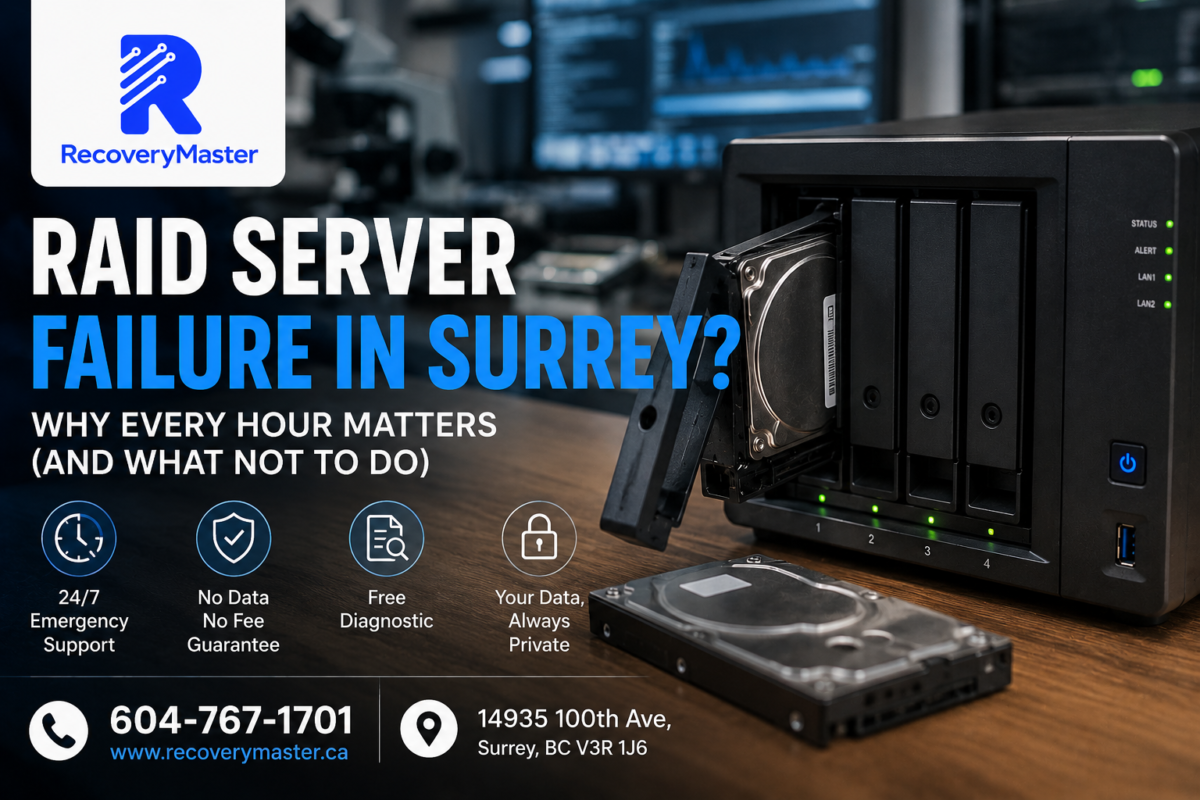
When a RAID array or NAS fails, the single most dangerous thing you can do is keep it running — or worse, attempt a rebuild before understanding what actually failed. Every hour of continued operation after a RAID failure increases the risk that recoverable data gets permanently overwritten, corrupted, or lost.
If you’re in Surrey, BC and your RAID has just gone down — a Synology NAS showing degraded status, a QNAP that won’t mount, a server array that’s gone dark — the stress is immediate and real. Business files, client records, years of work. All of it sitting behind a failure message you don’t fully understand.
RecoveryMaster is a certified data recovery lab located right here in Surrey, and RAID and NAS recovery is one of the most complex — and most time-sensitive — cases we handle. Over 10+ years and 23,000+ recovered devices, we’ve seen exactly what happens when the right steps are taken immediately, and what happens when they aren’t.
This guide tells you what RAID failure actually means, why urgency matters, what you must not do, and what professional recovery looks like from start to finish. Read it before you touch anything.
What Is a RAID Array — and Why Does It Fail?
RAID stands for Redundant Array of Independent Disks. In plain terms, it’s a system where multiple hard drives work together as a single storage unit. Depending on the RAID type, this setup can make your storage faster, more redundant, or both.
Here’s a quick breakdown of the most common RAID types:
- RAID 0 — Data is split across two or more drives for speed. No redundancy whatsoever. If one drive fails, all data is lost.
- RAID 1 — Data is mirrored across two drives. If one fails, the other still has everything. But it offers no protection against accidental deletion or ransomware.
- RAID 5 — Data is spread across three or more drives with parity information. Can survive one drive failure. Extremely common in small business NAS setups.
- RAID 6 — Similar to RAID 5 but can survive two simultaneous drive failures.
- RAID 10 — A combination of mirroring and striping. Fast and resilient, but requires at least four drives.
Why RAID 5 Is Not as Safe as You Think
RAID 5 is by far the most commonly used configuration in small business NAS devices — Synology DS series, QNAP TS series, and similar. It gives the feeling of security because it can survive one drive failure.
The problem: when that one drive fails and the array enters degraded mode (operating on reduced drives while waiting for a replacement), every remaining drive is under enormous stress. Read operations that verify parity data put sustained load on drives that may already be aging.
If a second drive fails during this window — which happens more often than people expect — the entire array goes down. All data becomes inaccessible.
This is the scenario we see most often from businesses in Newton, Guildford, and the Fleetwood industrial area: a RAID 5 that survived one failure, was left in degraded mode too long, and then lost a second drive before a rebuild could complete.
The 5 Most Dangerous Things People Do After a RAID Failure
This section could save your data. Read it carefully.
1. Attempting a RAID Rebuild Without Diagnosing Why It Failed
A RAID rebuild rewrites data across all drives in the array. If the rebuild is initiated before you know exactly which drive failed — and why — you risk overwriting the very data you need to recover.
If the failure was caused by a controller issue rather than a physical drive problem, a forced rebuild can corrupt data on every single drive in the array simultaneously.
⚠️ Warning: Never initiate a RAID rebuild without first imaging every drive individually. A rebuild cannot be undone. If it fails partway through, you may have no recovery path left.
2. Continuing to Use the Array in Degraded Mode
Degraded mode is not a safe operating state — it’s an emergency state. The moment your NAS or RAID controller tells you it’s degraded, treat it as an active emergency. Back up what you can if the array is still partially accessible, then power it down and call a specialist.
3. Replacing a Drive and Rebuilding Without Professional Assessment
It feels logical: one drive failed, replace it, let the RAID rebuild. But if the wrong drive is identified as failed, or if multiple drives have silent errors (sectors failing without triggering a full drive failure), a rebuild against a compromised array can destroy data on every drive.
4. Powering the Array On and Off Repeatedly
Each power cycle on a mechanically failing drive causes the read/write head to park and re-engage. On a drive that’s already struggling, this accelerates damage. For a NAS with multiple drives, repeated power cycling can trigger cascading failures.
5. Running File System Repair Tools
Tools like fsck, chkdsk, or NAS-native repair utilities are designed for minor file system corruption. Applied to a degraded or failed RAID, they can alter the drive structure in ways that make professional recovery significantly harder.
Pro Tip: Treat a failed RAID the same way you’d treat a car that’s just made a terrible noise — pull over, turn it off, and call someone who knows what they’re doing before driving another metre.
Why Every Hour Actually Matters
The urgency of RAID failure isn’t just about anxiety. There are specific, technical reasons why time is a genuine factor.
Degraded RAID arrays that remain powered on continue reading and writing parity data. This creates wear on surviving drives that are already at elevated risk of failure.
NAS firmware on devices like Synology and QNAP can occasionally attempt automatic repair operations in the background — operations that can alter the data state on the drives without your knowledge or consent.
Environmental factors — heat buildup, power fluctuations — continue to affect the drives as long as the system runs. A power surge to an already-stressed array is disproportionately damaging.
Ransomware that has encrypted files on a NAS continues spreading through connected shares as long as the system is online. Every minute extends the scope of encryption.
For businesses in Surrey — whether a small practice in South Surrey or a warehouse operation in Whalley — the cost of downtime compounds with each hour. But the cost of unrecoverable data compounds far longer.
The data recovery in Surrey team at RecoveryMaster is available 24/7 for emergency RAID cases precisely because we know that waiting until Monday morning can be the difference between a full recovery and a partial one.
What Professional RAID Recovery Actually Looks Like
People often imagine data recovery as someone plugging in a drive and clicking “recover.” Professional RAID recovery is nothing like that.
Here is the actual process we follow at RecoveryMaster:
Step 1 — Individual Drive Assessment Every drive in the array is assessed independently before any array-level work begins. We identify which drives have physical damage, which have developed bad sectors, and which are fully functional. This step alone often reveals problems that a standard RAID controller completely missed.
Step 2 — Drive Imaging Each drive is imaged sector-by-sector using the Ace Lab PC-3000 and DeepSpar Disk Imager — professional tools that handle failing drives more carefully than any consumer software. The image — an exact copy — is what we work from. The original drives are not touched again after imaging.
Step 3 — Virtual RAID Reconstruction Using the drive images, we virtually rebuild the RAID array in software. This means reconstructing the RAID type, stripe size, block order, and parity scheme — often without any of the original RAID controller configuration.
This is highly technical work. A RAID 5 with a non-standard stripe size, or a QNAP array using a proprietary volume format, requires careful analysis before any data can be extracted.
Step 4 — File System Repair and Extraction Once the virtual array is intact, we repair the file system layer and extract your files to a new, clean storage drive.
Step 5 — Your Verification You verify the recovered files before any payment is taken. That’s the No Data No Fee guarantee — real, documented, and applied to every RAID case.
RAID vs NAS Failure — Are They the Same?
Not exactly — and the difference matters for recovery.
A RAID array refers to the configuration of drives themselves. The RAID can be managed by a dedicated hardware controller, a software RAID managed by the operating system, or the embedded controller in a NAS device.
A NAS (Network-Attached Storage) — like a Synology DS923+ or a QNAP TS-453E — is the device that houses the drives and manages the array. NAS failure can mean:
- One or more drives in the array have physically failed
- The NAS controller board has failed (but drives are fine)
- The NAS firmware has corrupted and won’t boot
- The RAID configuration data has been lost
Each of these requires a different recovery approach. A failed NAS controller with intact drives is actually one of the easier recovery scenarios — we bypass the controller entirely and work directly with the drives. A failed RAID configuration where the drives are fine but the array metadata is gone requires careful reconstruction of the RAID parameters.
Professional data recovery in Surrey for RAID and NAS cases starts with a full diagnostic of both the device and the individual drives — because assuming the problem without checking is how recoverable data gets destroyed.
Businesses in Cloverdale and across Metro Vancouver regularly bring in Synology and QNAP units with failed controllers, corrupted volumes, and degraded arrays. The physical drives are almost always intact — the recovery challenge is reconstruction, not physical repair.
RAID Configurations We Recover — and the Real-World Risks of Each
Understanding your RAID type helps you understand your recovery risk.
RAID 0 The highest risk configuration. No redundancy at all — data is striped across drives for maximum performance. If one drive fails, the entire array is gone. Recovery is possible but requires both (or all) drives to be imaged and the stripe parameters to be known or reconstructed. Success rate is lower than other RAID types. If you’re running business-critical data on RAID 0, please change this immediately.
RAID 1 Lowest recovery complexity. Both drives contain identical data. If one fails, we work from the surviving drive. If both fail simultaneously (rare, but happens in power surge events), recovery requires both to be imaged.
RAID 5 The most common and the most misunderstood. One drive failure is survivable — but only if you act immediately. Two drive failures are not survivable without professional reconstruction from drive images. We recover RAID 5 arrays regularly, including cases where the rebuild failed partway through and partially overwrote the parity data.
RAID 6 Can survive two drive failures, but beyond that, professional reconstruction from images is required. Recovery is possible in most cases.
RAID 10 Requires at least two simultaneous drive failures on the same mirror pair to cause data loss. Generally the most resilient for recovery purposes — as long as the failures aren’t on mirrored pairs.
At the data recovery lab in Surrey BC, we’ve recovered data from every RAID configuration listed above, including custom and proprietary NAS volume formats used by Synology (SHR), QNAP (RAID-T), and Buffalo LinkStation units.
What to Do Right Now If Your RAID Has Failed
Here is the specific sequence of steps to follow:
- Power the array down — if it’s still running, shut it down cleanly if possible. If it’s already unresponsive, power off at the device or UPS.
- Do not power it back on — resist the urge to restart and see if it comes back up.
- Document the state — take a photo of any error messages on the NAS screen or management interface before powering off.
- Note which drives were flagged — if your NAS management software identified a specific drive as failed, note the bay number. Do not remove the drive yet.
- Do not attempt a rebuild — even if your NAS is prompting you to insert a replacement drive and rebuild.
- Call a specialist — RecoveryMaster is available 24/7 for RAID emergencies at 604-767-1701.
The free diagnostic will tell you exactly which drives have failed, whether the RAID configuration is intact, and what recovery will realistically involve — before you spend a cent.
Frequently Asked Questions
1. What should I do immediately after my RAID or NAS fails?
Power it down as cleanly as possible and do not restart it. Document any error messages. Do not attempt a rebuild, run repair tools, or replace drives without professional guidance. Each of these actions can reduce your recovery options significantly. Call a RAID recovery specialist for a free diagnostic before doing anything else — the less you do, the more options remain available.
2. How much does RAID data recovery cost in Surrey BC?
RAID recovery pricing varies significantly depending on the number of drives, the RAID type, the failure cause, and the physical condition of the drives. Simple NAS controller failures with intact drives are less expensive than multi-drive physical failures requiring individual drive imaging. At RecoveryMaster Surrey BC, the diagnostic is always free and you receive a written quote before any work begins — no surprises, no payment without a successful result.
3. How long does RAID data recovery take in Surrey?
Most RAID recoveries are completed within 3–7 business days. Simple cases — controller failure with intact drives — can sometimes be faster. Complex multi-drive physical failures or RAID 5 arrays where a rebuild partially completed may take longer. Emergency priority service is available. Call 604-767-1701 to discuss your timeline and we’ll give you an honest estimate specific to your case.
4. Can you recover data from a clicking hard drive in a RAID array?
Yes — but a clicking drive within a RAID is more urgent than a standalone clicking drive, because the array’s parity calculations depend on that drive. We image each drive individually using tools designed to handle mechanically failing drives carefully, before any array-level reconstruction begins. The clicking drive is handled in the same way as a standalone case — physical assessment, potential head replacement in a clean room, careful sector-by-sector imaging.
5. Can you recover a water-damaged NAS device?
Yes, in many cases. Water damage to a NAS device typically affects the controller board more than the drives themselves — the drives are often sealed units that survive water exposure if they weren’t powered on while wet. Bring the entire unit in immediately. Do not attempt to power it on. We assess the drives individually and the controller board separately, and often recover all data even when the NAS unit itself is beyond repair.
6. What does “No Data No Fee” mean for RAID recovery?
It means the same thing it means for any case: you don’t pay the recovery fee unless we successfully recover your data — and you personally verify the recovered files before any payment is taken. For RAID cases, verification typically involves confirming that your critical business files, databases, or project folders are intact and accessible. Visit RecoveryMaster to understand exactly how the guarantee is structured and enforced.
7. Is my business data kept private during RAID recovery?
Completely. All recovery work is done in-house at our Surrey lab — your drives and data never leave British Columbia. We maintain a documented chain of custody for every single case. No third parties handle your data. For business clients with confidentiality requirements — legal firms, medical practices, financial services — we can discuss additional documentation on request. Your data is never retained after your case closes.
8. Can I courier my NAS or RAID drives to your lab from outside Surrey?
Yes. We handle cases from across BC and beyond. For NAS units, ship the entire device if possible — the controller configuration can sometimes assist in reconstruction. For RAID drives, ship them together in individual anti-static bags, well padded, in a rigid box. Contact hi@recoverymaster.ca before shipping. Our address is 14935 100th Ave, Surrey BC V3R 1J6. Use a tracked courier service only.
9. Do you offer emergency RAID recovery in Surrey?
Yes — 24/7 emergency support is available for critical RAID and NAS failures. Call 604-767-1701 any time. For businesses in Surrey that cannot afford extended downtime, we offer priority assessment and expedited recovery timelines. Visit our Surrey data recovery service page for full details on emergency options and what to expect when you call.
10. Can you recover accidentally deleted files from a NAS or RAID?
Yes, in most cases — as long as the NAS or RAID hasn’t been heavily used since the deletion. Accidental deletion on a NAS, accidental format of a RAID volume, or mistaken factory reset of a NAS are all recoverable in most cases. The critical rule: stop using the device the moment you realise what happened. Every new write to the array risks overwriting the deleted data permanently.
11. Can you recover data from any RAID configuration in Surrey BC?
Yes. We recover data from RAID 0, 1, 5, 6, and 10 arrays, as well as proprietary NAS volume formats including Synology SHR, QNAP RAID-T, and Buffalo LinkStation configurations. We handle both hardware RAID (dedicated controller cards) and software RAID (managed by the operating system). Each case starts with individual drive assessment and imaging before any array reconstruction is attempted. Visit professional data recovery in Surrey for case examples and service details.
12. What happens if ransomware has encrypted my RAID or NAS?
Isolate the NAS from your network immediately — disconnect the ethernet cable first, then power down. Do not pay the ransom without professional consultation. Some ransomware variants affecting NAS devices have known decryption tools. We can analyze the encryption, assess what unencrypted data may remain in unallocated space, and advise on your specific situation. Bring the drives in for a free diagnostic before making any decisions.
13. What tools do you use for RAID data recovery?
We use the Ace Lab PC-3000 for individual drive imaging and repair, DeepSpar Disk Imager for managing reads from mechanically compromised drives, and professional RAID reconstruction software for virtual array rebuild. For NAS-specific volume formats — Synology, QNAP, Buffalo — we use specialized tools that understand proprietary file system structures. All work is done on drive images, never on the original drives directly, preserving every option throughout the recovery process.
14. What is your success rate for RAID and NAS recovery?
RecoveryMaster maintains a 98% success rate across all case types, including RAID and NAS recovery. This rate is high because every case starts with an honest diagnostic — if a configuration is genuinely unrecoverable due to extreme physical damage or complete data overwrite, we say so upfront rather than attempting work that won’t succeed. An honest assessment of an unrecoverable case is as valuable as a successful recovery.
15. How do I know if my RAID data is actually recoverable?
The free diagnostic answers this question definitively. Signs that recovery is likely: the failure is recent, only one or two drives in the array have failed, no rebuild has been attempted, and the array hasn’t been used heavily since the failure. Signs that reduce chances: a failed rebuild that ran to completion, multiple drives with grinding physical damage, or data that was overwritten. Contact trusted data recovery experts in Surrey BC for a no-obligation assessment.
Three things matter most when your RAID or NAS fails.
First: Time is a real factor — not to create panic, but because continued operation, automatic repair attempts, and environmental stress actively reduce your recovery options with every hour the system stays running in a degraded state.
Second: The most damaging actions are the ones that feel like logical fixes — replacing a drive and rebuilding, running repair tools, restarting repeatedly. These are the actions that turn a recoverable situation into an unrecoverable one.
Third: Professional RAID recovery works from images of your original drives, never from the drives themselves — which means the recovery process carries no risk to the data you’re trying to save.
RecoveryMaster has served Surrey and Metro Vancouver for over 10 years with a 98% success rate, 23,000+ devices recovered, and a No Data No Fee guarantee that applies to every RAID and NAS case without exception.
Call 604-767-1701 any time — 24/7 emergency support is available. Visit us at 14935 100th Ave, Surrey BC V3R 1J6, Monday through Saturday for walk-in appointments.
Don’t wait. Get your free diagnostic today — no cost, no commitment, just a clear picture of what’s recoverable and what it will take.
For full details on our RAID and NAS recovery services in the Surrey area, visit the local data recovery lab serving Surrey page. Whatever happened to your array — we’ve seen it, and we know how to bring it back.
FAQ — raid server failure
How long does raid server failure take?
Most raid server failure cases at RecoveryMaster are completed within 24-48 hours at our Surrey lab. Emergency raid server failure with same-day assessment available. Visit 14935 100th Ave, Surrey BC or call 604-767-1701.
How much does raid server failure cost?
Every case starts with a free diagnostic. Upfront pricing, No Data No Fee guarantee.
Why choose RecoveryMaster for raid server failure?
23,000+ devices recovered, 98% success rate, certified Surrey BC lab, free diagnostics, 24/7 emergency support.