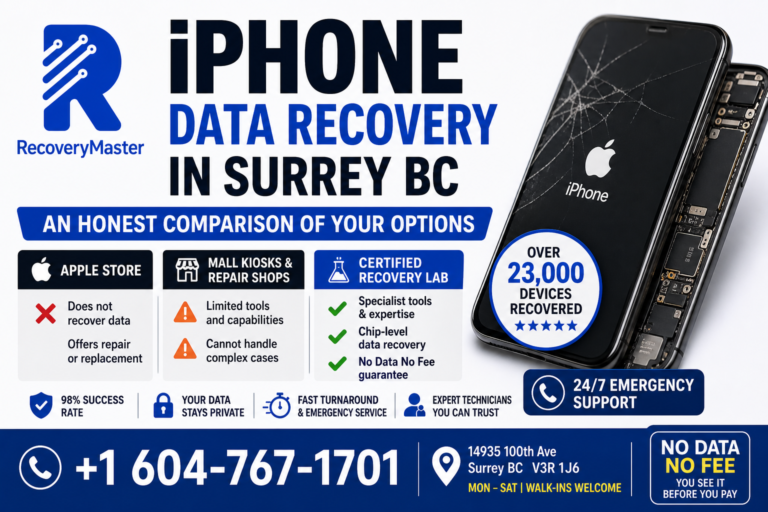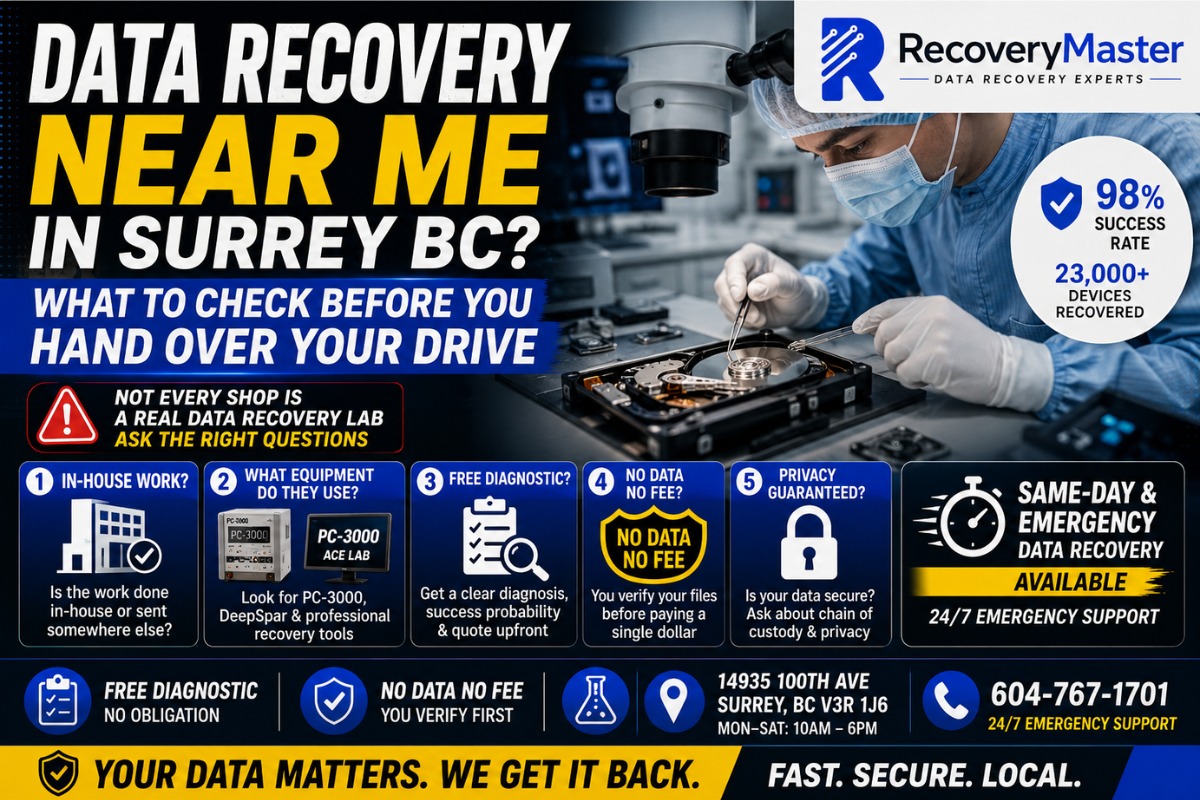
When you search “data recovery near me” in Surrey BC, you’ll get a long list of results — phone repair kiosks, IT shops, big-box store counters, and a handful of actual recovery labs. They don’t all offer the same thing, and handing your drive to the wrong one can make your situation permanently worse.
The most important thing to know before choosing a data recovery provider is this: not every shop that claims to do data recovery actually has the equipment, training, or in-house capability to do it safely.
RecoveryMaster is a certified data recovery lab located at 14935 100th Ave, Surrey BC V3R 1J6 — and this post was written to help you make the right decision, whether you choose RecoveryMaster or anyone else. With over 10 years serving Metro Vancouver, 23,000+ devices recovered, and a 98% success rate, they’ve seen the aftermath of bad choices made at the wrong shop. This guide gives you the questions to ask and the red flags to watch for before trusting anyone with your data.
Data recovery near me in Surrey BC should mean a real lab — not a reseller who ships your drive to another province without telling you.
Question 1: Is the Work Done In-House or Sent Somewhere Else?
This is the single most important question you can ask — and most people never think to ask it.
A surprising number of “data recovery” businesses in the Surrey and Metro Vancouver area are not recovery labs at all. They’re intermediaries. You bring in your drive, they accept it, they ship it to a recovery lab in another city or province, and you pay a markup on top of whatever that third party charges.
This matters for several reasons.
Your Data Leaves Your Province
When your drive is shipped to another province, you lose control of where your data goes, who handles it, and what safeguards are in place. British Columbia has its own privacy legislation (PIPA), and once your data crosses provincial lines, those protections become much harder to enforce.
Turnaround Time Increases Significantly
Shipping a drive to Ontario or Alberta and back adds days to your timeline before recovery work even begins. For urgent cases — a deadline, a business outage, a critical personal file — those days matter enormously.
You Can’t Follow Up Directly
If something goes wrong, or if you have questions about the process, you’re dealing with a middleman who may not have direct answers. Accountability becomes diluted.
> ⚠️ Warning: Before handing over your drive, ask directly: “Is all recovery work done in your lab, by your technicians?” If the answer is vague, or if they mention “sending it to a specialist,” that’s outsourcing. Your data is leaving their building.
RecoveryMaster handles every case entirely in-house at the Surrey lab. Your data never leaves British Columbia — and that’s not a marketing claim, it’s a documented operational standard on every case.
Question 2: What Equipment Do They Actually Use?
Professional data recovery is not software. It’s hardware-level work, and the tools used define what’s possible.
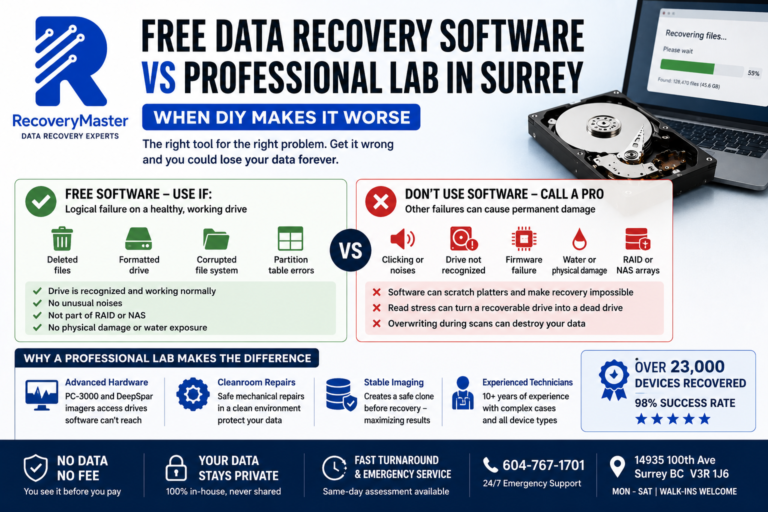
Consumer data recovery software — Recuva, Disk Drill, EaseUS — is useful for recovering accidentally deleted files from a healthy drive. It does nothing for a mechanically failed drive, an SSD with a dead controller, or a drive with corrupted firmware. Applying software tools to a failing mechanical drive actively makes things worse.
What a Real Lab Uses
The industry standard for professional hard drive recovery is the Ace Lab PC-3000 — a hardware platform that communicates with drives at a firmware and hardware level, bypasses standard operating system limitations, and can work with drives that no computer will even recognize. It’s the tool that separates professional recovery labs from everyone else.
DeepSpar disk imagers are used for stable imaging of damaged drives — sector by sector, with fine-grained control over read attempts and error handling that no standard tool can match.
For SSD and flash storage, specialist NAND extraction tools allow technicians to physically remove and read the memory chips when the drive’s controller has failed entirely.
What to Ask
- “What hardware tools do you use for recovery?” (Look for PC-3000, DeepSpar, or equivalent professional platforms)
- “Do you have a cleanroom or ISO-rated enclosure for opening hard drives?” (Required for any mechanical work)
- “Can you work on drives that aren’t recognized by a computer at all?”
If they can’t answer the equipment question specifically, they’re either using software tools only or outsourcing to someone who has the real equipment.
For data recovery in Surrey that uses professional-grade hardware on every case, RecoveryMaster’s full equipment list and process is available for review — no vague answers.
Question 3: Do They Offer a Free Diagnostic — and What Does That Actually Include?
Almost every data recovery provider claims to offer a “free diagnostic.” But the word “diagnostic” means very different things depending on who you ask.
The Minimum Standard
A genuine free diagnostic should include:
- Physical inspection of the drive or device
- Identification of the failure type (mechanical, logical, firmware, controller)
- Assessment of recoverability and estimated success probability
- A quote for the recovery — before any work begins
- No obligation to proceed
Some shops call it a “free diagnostic” when all they do is plug the drive into a computer and see if Windows recognizes it. That takes fifteen seconds and tells you almost nothing meaningful about what’s wrong or whether recovery is possible.
The Right Kind of Free Diagnostic
A proper diagnostic for a mechanically clicking drive, for example, involves listening to the sound pattern, checking the model and known failure modes for that batch, assessing whether the platters show signs of head contact, and determining whether donor heads are available. That’s a diagnostic. Plugging it in and reading an error message is not.
Pro Tip: Ask specifically: “What does your free diagnostic include?” A good lab will describe a process. A weak one will say something like “we plug it in and test it.” The depth of that answer tells you a lot about their capability.
The Surrey data recovery service at RecoveryMaster provides a full technical assessment at no cost — failure type identification, honest success probability, and a clear quote before any work begins. No obligation, no pressure.
Question 4: Is There a “No Data No Fee” Guarantee — and What Does It Actually Mean?
“No data no fee” has become a common phrase in the data recovery industry. Like “free diagnostic,” it means different things depending on the provider.
The Real Standard
A genuine No Data No Fee policy means:
- Recovery is attempted
- You are shown the recovered files
- You verify your important data is present and intact
- Only then do you pay
You are not paying based on a file list or a percentage claimed. You see your actual files, confirm what’s there, and make the payment decision with full information.
The Watered-Down Version
Some providers offer “no fee if we can’t recover anything” — but charge a diagnostic fee regardless, or charge a partial fee for partial recovery. Others define “successful recovery” differently from how you would.
Ask these specific questions:
- “If recovery is partially successful — some files but not all — do I still pay?”
- “Do I see and verify the files before making any payment?”
- “Is the diagnostic fee separate from the recovery fee, or is it included?”
Why It Matters
The No Data No Fee guarantee aligns the lab’s financial incentive with your outcome. If they don’t get your data back, they don’t get paid. That’s the correct structure for a service where the outcome genuinely can’t be guaranteed in advance.
RecoveryMaster’s Surrey lab operates a genuine No Data No Fee policy — you verify files before any payment is made, and the diagnostic is included at no cost regardless of outcome.
Question 5: How Is Your Privacy Protected During Recovery?
Your hard drive isn’t just a technical problem. It contains your personal documents, financial records, photos, passwords, business files, and years of private information. Where does all of that go during the recovery process?
This is a question most people don’t think to ask — and most labs don’t volunteer the answer.
Chain of Custody
A professional lab documents chain of custody on every case. This means there’s a paper trail for every person who handles your device, every action taken, and every point at which the device changed hands. If something goes wrong, or if you have a question about what happened to your data, the record exists.
Who Has Access to Your Files
Ask directly: “Do your technicians need to look through my files as part of the recovery process?” The honest answer is that technicians typically need to verify that files are present and readable — but they should not be browsing your personal content, and the lab should have clear policies against it.
Data After Recovery
What happens to your data after the case is closed? Does the lab keep a copy? Do they wipe their recovery drives? Ask specifically what the data retention policy is after your case is completed.
For professional data recovery in Surrey, RecoveryMaster documents chain of custody on every single case, all work is performed in-house by their own technicians, and your data is never retained after case completion. British Columbia’s privacy standards are followed throughout.
Question 6: What Do the Reviews Actually Tell You?
Reviews matter, but they need to be read carefully. A 4.8-star rating with 12 reviews tells you very little. A 4.9-star rating with 200+ reviews tells you a great deal.
What to Look For in Reviews
Volume: More reviews over a longer period means more reliable signal. A business with 200 reviews over five years is more trustworthy than one with 30 reviews over six months.
Specificity: Reviews that mention specific failure types (“they recovered my clicking Seagate drive,” “got my MacBook photos back after water damage”) are more valuable than generic praise. They confirm that the lab actually handles the type of failure you’re dealing with.
How complaints are handled: Look for negative reviews and read the responses. A lab that responds professionally to criticism, acknowledges the issue, and explains what happened shows accountability. A lab that argues with unhappy customers or has no responses at all raises questions.
Recency: A strong track record from 2019 matters less if there are multiple recent negative reviews suggesting quality has declined.
Neighbourhoods in the Review Pool
If you’re in Newton, Guildford, Whalley, Fleetwood, Cloverdale, or South Surrey, look for reviews from customers in your area. Local reviews confirm that the lab actually serves your part of Surrey, not just the areas closest to them.
RecoveryMaster has earned 200+ five-star Google reviews from customers across Surrey and Metro Vancouver — including Seagate and WD hard drive recoveries, Samsung and iPhone data recovery, and Synology NAS and QNAP RAID array cases.
Question 7: What Happens If They Can’t Recover Your Data?
A reputable lab is honest about failure cases. Recovery isn’t always possible — and a good lab will tell you that upfront, rather than taking your money and returning your drive with nothing on it.
Questions to Ask Before You Commit
- “What percentage of cases like mine are successfully recovered?”
- “What would cause my case to be unrecoverable?”
- “If recovery fails, what happens to my device?”
- “Will I receive a written explanation of why recovery wasn’t possible?”
The Honest Answer About Unrecoverable Cases
Truly unrecoverable data usually comes from one of three situations: physically scratched platters caused by running a clicking drive too long, severe fire or corrosion damage to the storage media itself, or overwriting — where new data has been written on top of the deleted data you were trying to recover.
A lab with a 98% success rate still has 2% of cases that fail. That 2% almost always involves one of the above. If a lab claims 100% success, that’s not credible — be skeptical.
Data recovery in Surrey at RecoveryMaster includes a completely honest assessment. If your case is in that 2%, they’ll tell you — before you spend a dollar, not after.
Pro Tip: Ask the lab: “Can you describe a case you couldn’t recover, and why?” A lab with real experience will answer this question easily. One that can’t — or won’t — is either inexperienced or not being straight with you.
Frequently Asked Questions
1. What should I do immediately after I realize my data is gone?
Stop using the device right away. Every new write to a drive — whether you’re saving files, downloading updates, or even just browsing — can overwrite the data you’re trying to recover. Power the device off if it’s making unusual sounds. Do not run disk repair software or reinstall the OS. Then contact a professional lab as soon as possible. The sooner you act, the more recovery options remain available. Time and further use are the two biggest enemies of successful data recovery.
2. How much does data recovery cost in Surrey BC?
Pricing varies based on failure type and complexity. Logical recoveries — deleted files, corrupted partitions — are typically less expensive than mechanical failures requiring cleanroom work or NAND chip extraction. RecoveryMaster provides a completely free diagnostic and a clear quote before any work begins. The No Data No Fee guarantee means you pay only if your data is successfully recovered and verified by you. Call 604-767-1701 for a no-pressure estimate based on your specific situation.
3. How long does data recovery take in Surrey?
Timelines depend on the failure type. Simple logical recoveries can sometimes be completed same-day. Mechanical hard drive failures typically take 2–5 business days. Complex RAID, NAS, or soldered SSD cases may take longer depending on parts availability and array complexity. Emergency and priority turnaround is available for urgent situations — call ahead to explain your timeline and RecoveryMaster will give you an honest estimate and prioritize accordingly. Same-day assessment is available for walk-in cases Monday through Saturday.
4. Can you recover data from a clicking hard drive in Surrey?
Yes — clicking drives are one of the most common cases handled at the data recovery lab in Surrey BC. A clicking drive has a mechanical failure involving the read/write heads, and success depends largely on how quickly you power it off and stop running it. Professional head replacement using matched donor parts, combined with the Ace Lab PC-3000, allows recovery in the vast majority of clicking drive cases — including Seagate, WD, Toshiba, and Samsung models. The 98% success rate applies across all mechanical failure types.
5. Can you recover data from a water-damaged phone in Surrey BC?
Yes. Water damage phone recovery is one of RecoveryMaster’s most common case types. The critical factor is not charging or powering on the device after water exposure — electricity through wet components causes corrosion that spreads rapidly and causes far more damage than the water itself. Bring the device in as quickly as possible, ideally within 24 hours. Even phones that appear dead may have fully intact data on the NAND storage chip, which can often be extracted even when the phone itself cannot be repaired.
6. What does “No Data No Fee” actually mean at RecoveryMaster?
It means you verify your recovered files before making any payment. RecoveryMaster completes the recovery, presents the data to you for inspection, and you confirm that your important files are present and accessible — then you decide whether to pay. If recovery is unsuccessful, you owe nothing, including no diagnostic fee. This isn’t a limited guarantee — it applies to all case types without exception. Visit RecoveryMaster Surrey BC for full details on how the policy works in practice.
7. Is my data kept private when I bring my drive to a Surrey data recovery lab?
At RecoveryMaster, yes — completely. All work is done in-house by RecoveryMaster’s own technicians. Your data never leaves British Columbia and is never shared with third parties. Chain of custody is documented on every case, covering every person who handles your device and every action taken. Files are not retained after case completion. British Columbia’s Personal Information Protection Act (PIPA) standards are followed throughout. When comparing labs, always ask directly about their data handling and chain of custody documentation.
8. Can I mail my drive in from outside Surrey BC?
Yes. RecoveryMaster accepts mail-in cases from across Canada. Email hi@recoverymaster.ca before shipping to register your case and receive specific packaging instructions for your device type. For hard drives, use anti-static bags and generous padding. For phones, avoid sealing water-damaged devices in airtight containers. Include a clear description of the symptoms and failure history in writing. Mail-in cases receive the same in-house treatment as walk-in cases — your device won’t be forwarded to a third party.
9. Do you offer same-day or emergency data recovery near me in Surrey?
Yes. Emergency and priority service is available, with 24/7 phone support at 604-767-1701. Walk-in service runs Monday through Saturday at 14935 100th Ave, Surrey BC. If your situation involves a business outage, a looming deadline, or irreplaceable personal data, call and explain the urgency — emergency cases receive immediate priority assessment. The trusted data recovery experts in Surrey BC understand that time is often part of the problem, and emergency cases are treated accordingly from the first call.
10. Can you recover accidentally deleted files or a formatted drive in Surrey?
Yes — in most cases. Deleted and formatted data remains physically present on the drive until it’s overwritten by new information. The most important thing is to stop using the device immediately — every new file saved or app installed can overwrite the data you’re trying to recover. Contact a recovery lab as soon as possible after accidental deletion. The shorter the window between deletion and recovery attempt, the higher the success rate. Bring the device in without running any disk repair or recovery software on it first.
11. Can you recover data from a RAID or NAS system near Surrey BC?
Yes. RecoveryMaster handles RAID 0, 1, 5, 6, and 10 configurations as well as NAS devices from Synology, QNAP, and other manufacturers. RAID recovery is technically complex — the correct drive order, stripe size, and parity configuration must all be identified before any data can be extracted. Never attempt to rebuild a degraded RAID array without professional guidance. An incorrect rebuild can permanently overwrite your data. Bring all drives from the array together and avoid any further writes to any drive in the set.
12. What happens if ransomware has locked my files?
Ransomware recovery depends on the specific variant and whether any unencrypted data — shadow copies, partial backups, files outside the targeted folders — still exists. In some cases these are accessible even after an attack. If the ransomware-affected device also has a physical hardware failure, the hardware issue is addressed first. Contact RecoveryMaster’s Surrey lab to discuss your specific situation — the free diagnostic will identify what’s present and what options exist, with no commitment required to proceed.
13. What equipment does a real data recovery lab near me in Surrey use?
Professional data recovery requires hardware-level tools, not software. RecoveryMaster uses the Ace Lab PC-3000 — the industry standard for professional drive recovery — along with DeepSpar disk imagers for stable sector-level imaging of damaged drives, and specialist NAND extraction tools for SSD and flash chip-level recovery. These tools allow technicians to work with drives that computers won’t recognize at all. If a lab near you can’t name their recovery hardware specifically, they’re likely using consumer software — or outsourcing to someone who has the real tools.
14. What is the data recovery success rate I should expect in Surrey BC?
A reputable professional lab should achieve 90–98% success across all case types. RecoveryMaster maintains a 98% success rate covering mechanical failures, logical errors, SSD failures, water damage, and RAID arrays. The cases that can’t be recovered almost always involve drives that were run excessively after failure began — causing physical platter damage — or data that has been overwritten. Ask any lab you’re considering for their specific success rate and what types of cases they include in that figure.
15. How do I know if my data is actually recoverable before paying anything?
The free diagnostic tells you — with specifics. A technician at the local data recovery lab serving Surrey physically assesses your drive, identifies the failure type, and gives you a realistic, honest recovery probability before any work begins or any payment is made. You don’t have to guess, and you don’t have to commit to anything. Most cases — when the device is brought in promptly and hasn’t been run repeatedly after failure — are recoverable. Get the assessment first and then make an informed decision.
The Checklist Before You Choose a Data Recovery Lab in Surrey BC
Three things to take away before handing your drive to anyone.
First: Ask if the work is done in-house. If your drive is being shipped to another lab, you’re paying a middleman and losing control of your data, your timeline, and your privacy. A real lab does the work themselves, on-site, with their own equipment.
Second: Verify the equipment and the guarantee. Professional recovery uses hardware tools like the PC-3000, not consumer software. The No Data No Fee guarantee should mean you verify files before paying — not a partial refund on a failed attempt.
Third: Check the reviews — volume, specificity, and recency. 200+ detailed reviews from local Surrey customers tells you far more than a handful of generic five-star ratings.
RecoveryMaster Surrey BC meets every standard on this checklist. Over 10 years serving Metro Vancouver. 23,000+ devices recovered. 98% success rate. Fully in-house. No Data No Fee. 200+ five-star reviews. All work performed at 14935 100th Ave, Surrey BC by their own certified technicians — your data never leaves the province.
Call 604-767-1701 any time — 24/7 emergency support is available. Walk in Monday through Saturday. For full details on the recovery process, visit the Surrey data recovery service page before you arrive.
When you’re ready, get your free diagnostic today — no obligation, no risk, and no surprises.
Choosing the right lab is the most important decision in the recovery process. Now you know exactly what to look for.