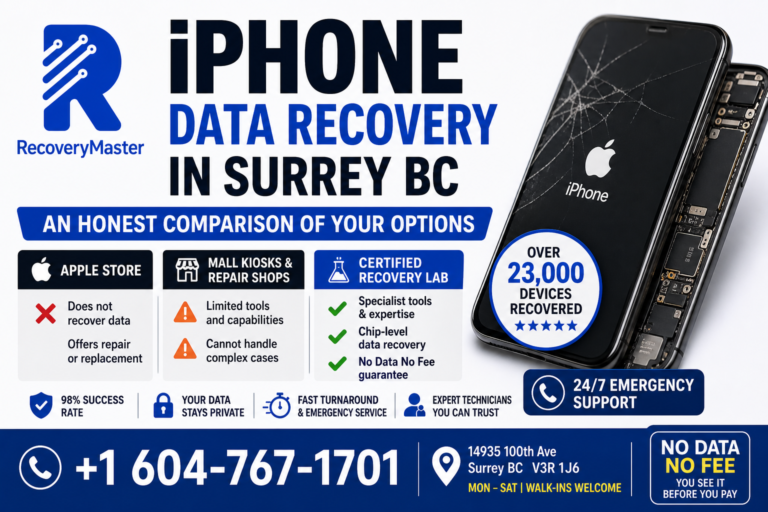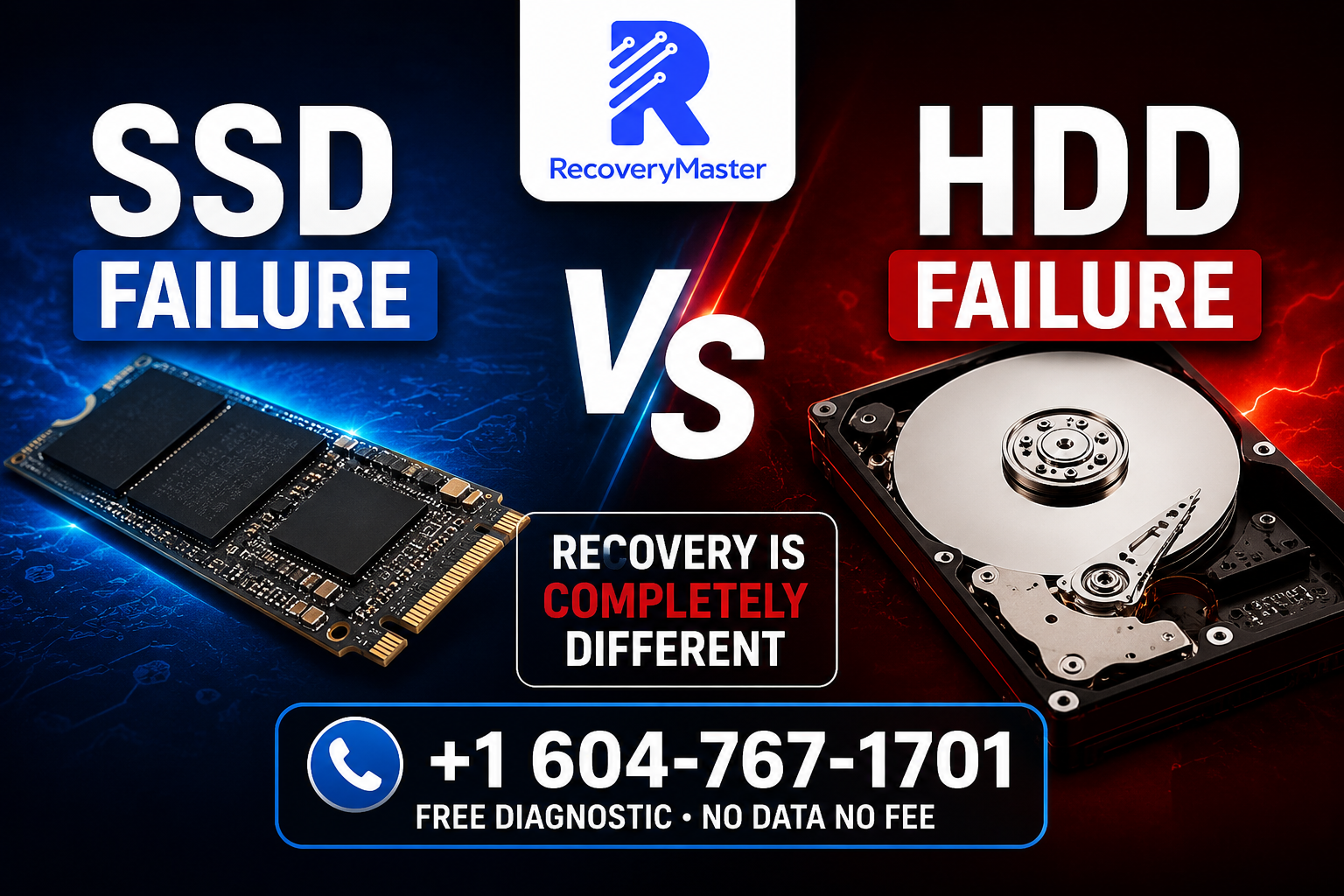
SSD failures and hard drive failures are not the same thing — not even close. The causes are different, the warning signs are different, and most importantly, the recovery process is completely different. If you treat one like the other, you could permanently destroy your data before you ever get help.
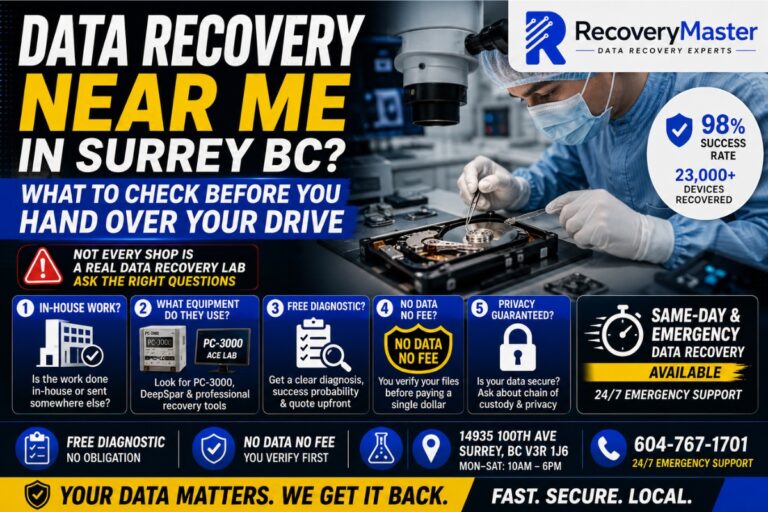
If you’re in Surrey, BC and you’ve just lost access to your files, stop. Don’t run recovery software yet. Don’t keep powering the drive on and off. And don’t assume a shop that fixes one type of drive can expertly handle both.
At RecoveryMaster — a certified data recovery and device repair lab right here in Surrey — we work on both SSDs and traditional hard drives every single day. The two require fundamentally different tools, different expertise, and different approaches. Understanding why can be the difference between getting your data back and losing it forever.
Here’s everything you need to know — in plain language, without the jargon.
How a Traditional Hard Drive Actually Works (And How It Fails)
A traditional hard drive, also called an HDD (Hard Disk Drive), is a mechanical device. Inside that sealed metal casing are spinning platters — thin magnetic disks that rotate at 5,400 to 7,200 RPM. A tiny read/write head floats nanometres above the surface of each platter, reading and writing data using magnetism.
It’s remarkably precise engineering. And precisely because it involves moving parts, it’s vulnerable to physical failure.
The Most Common HDD Failure Types
Mechanical failure is the most frequent. The read/write head can crash directly onto the platter surface — called a head crash. This scratches the magnetic coating and can scrape data off permanently in milliseconds. You’ll often hear this as a grinding or scraping sound.
Clicking sounds are one of the most recognized warning signs. That repetitive clicking means the read/write head is trying to locate data and failing — it’s resetting over and over. This is your drive telling you something is seriously wrong.
PCB (circuit board) failure can happen from a power surge or electrical spike. The drive appears completely dead — no sounds, nothing detected.
Firmware corruption happens when the internal software that tells the drive how to operate becomes damaged. The drive may spin up and appear fine but be completely unreadable.
⚠️ Warning: If your hard drive is clicking or making grinding sounds, power it off immediately. Every second it runs in this state risks further platter damage. Do not attempt to run disk recovery software — it can make the damage significantly worse.
For residents in Newton, Whalley, and Guildford, RecoveryMaster is a short drive away and offers free diagnostics so you can find out exactly what’s wrong before committing to anything.
How an SSD Actually Works (And Why It Fails Completely Differently)
An SSD (Solid State Drive) has no moving parts at all. Instead of spinning platters, it stores data in NAND flash memory chips — tiny cells that hold an electrical charge representing your data. NVMe SSDs (the fast M.2 drives in most modern laptops) use a high-speed interface but operate on the same fundamental technology.
Because there are no mechanical parts, SSDs don’t grind, click, or make noise when they fail. They often just… stop working. Silently.
The Most Common SSD Failure Types
Controller chip failure is the leading cause of SSD data loss. The controller is the brain of the drive — it manages where data is stored, handles error correction, and translates requests from your computer. When it fails, the drive becomes completely inaccessible even though your data is physically still intact on the NAND chips.
NAND wear-out happens because flash memory cells can only be written to a limited number of times. Budget SSDs with cheaper NAND hit this limit sooner. When cells wear out, the drive may go into read-only mode, become unresponsive, or corrupt data silently.
Firmware failure is particularly dangerous on SSDs. Manufacturers store critical operational code on the drive itself. Bugs, failed updates, or power interruptions during a write can corrupt this firmware — leaving the drive undetectable to any operating system.
TRIM and encryption complications are unique to SSDs. TRIM is a feature that helps SSDs manage deleted space — but it can make recovering deleted files much harder. Many modern SSDs also encrypt data by default, which adds complexity to any recovery attempt.
Pro Tip: If your SSD suddenly isn’t detected by your computer but was working fine before, don’t panic. This is often a controller or firmware issue — not physical damage to your data. A certified lab like RecoveryMaster’s Surrey lab can access the NAND chips directly, bypassing the failed controller entirely.
Why the Recovery Process Is Completely Different
This is the critical part. Many people assume data recovery is data recovery — that the same tools and techniques work on any drive. That assumption is wrong, and it can cost you your data.
Recovering a Failed Hard Drive
HDD recovery often requires physical intervention first. If the read/write head has crashed or failed, it must be replaced in a clean room environment — a dust-free space where even a single particle in the air could cause further damage to the platters.
At RecoveryMaster, we use Ace Lab PC-3000 and DeepSpar Disk Imager — industry-standard tools used by professional labs worldwide. These tools can communicate directly with the drive’s firmware, bypass bad sectors, and create a sector-by-sector image of the platters before any file extraction begins.
The process:
- Physical inspection and diagnosis
- Clean room head replacement (if needed)
- Sector-by-sector drive imaging to a healthy drive
- File system repair and data extraction from the image
This protects the original drive from further damage during recovery.
Recovering a Failed SSD
SSD recovery is a completely different discipline. Because the failure is almost always electronic rather than physical, the approach targets the electronics directly.
For controller failures, our engineers can desolder the NAND chips directly from the circuit board and read them using specialist NAND extraction equipment. This bypasses the failed controller entirely and reads your data straight from the memory chips.
For firmware failures, the PC-3000 can interface directly with supported drive models to repair or rebuild corrupted firmware modules — restoring the drive to a state where data can be read normally.
NVMe recovery is even more specialized. NVMe SSDs use a different protocol and a different physical form factor, and the NAND extraction process requires specific adapters and software.
If you’re in Cloverdale, Fleetwood, or South Surrey and you’re not sure which type of drive you have, data recovery in Surrey starts with a free diagnostic — no guessing required.
SSD vs HDD: The Key Differences at a Glance
| Factor | Hard Drive (HDD) | SSD / NVMe |
| Moving parts | Yes — platters, heads | No |
| Warning signs | Clicking, grinding, slow speeds | Silent failure, sudden undetected |
| Common cause | Mechanical, head crash, PCB | Controller, firmware, NAND wear |
| DIY software effective? | Sometimes (if no physical damage) | Rarely — often makes it worse |
| Clean room required? | Often yes | Rarely |
| NAND chip extraction needed? | No | Sometimes yes |
| Recovery timeline | 2–7 days typically | 1–5 days typically |
| Encryption complicates recovery? | Rarely | Frequently |
Why DIY Recovery Software Can Destroy SSD Data
This is one of the most important things to understand if you have a failed SSD.
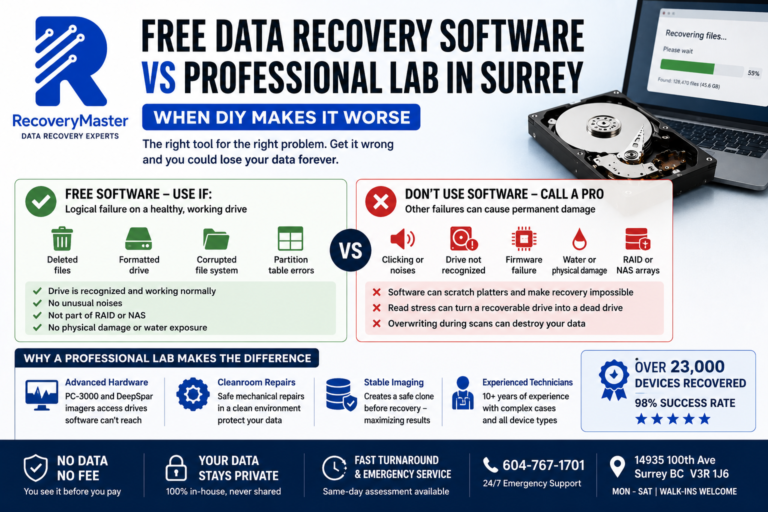
Tools like Recuva, Disk Drill, or TestDisk are designed to work with drives that are functional at the hardware level. They scan the file system and recover deleted or lost files. On a mechanically sound HDD, they can work.
On a failing SSD, running these tools is dangerous for several reasons:
- Every read operation wears the NAND cells further. If your SSD is already at a critical wear threshold, additional read cycles can push individual cells past their failure point permanently.
- The controller may be intermittently responding. Software will keep retrying failed reads — causing the controller to behave erratically and potentially trigger a complete lockdown mode.
- TRIM may activate. Some recovery operations can trigger TRIM on deleted sectors, permanently erasing the data you’re trying to recover.
⚠️ Warning: If your SSD has suddenly stopped being recognized, do not run any recovery software. Power it down. Contact a Surrey data recovery service immediately. The sooner you act — and the less you’ve done to the drive — the better your recovery chances.
What Happens During a Professional SSD or HDD Recovery
Whether you bring in a Seagate HDD from your Lenovo laptop, a Samsung NVMe from a Dell workstation, or a WD SSD from your HP desktop, the process at RecoveryMaster follows the same documented chain of custody.
Step 1 — Free Diagnostic Your device is assessed at no charge. We identify exactly what has failed and give you an honest recovery probability before you spend a dollar.
Step 2 — Quote and Approval You receive a clear, written quote. No hidden fees. You decide whether to proceed.
Step 3 — Recovery Work Our engineers work on your specific case using the appropriate tools — Ace Lab PC-3000, DeepSpar, or NAND extraction equipment depending on the failure type. All work is done in-house in our Surrey lab. Your data never leaves British Columbia.
Step 4 — Verification Before any payment is taken, you verify your recovered files. This is our No Data No Fee guarantee — if we don’t recover meaningful data, you don’t pay for the recovery.
Step 5 — Secure Return Your data is returned on a secure drive or via encrypted transfer. Your privacy is protected throughout.
With over 23,000 devices recovered and a 98% success rate, our professional data recovery lab has handled everything from a Synology NAS in Guildford to a water-damaged MacBook in South Surrey.
Brands and Drives We Commonly Recover
Across Surrey and Metro Vancouver, these are the devices we see most often:
Hard Drives (HDD):
- Seagate Barracuda, IronWolf, Expansion
- Western Digital Blue, Red, My Passport, My Book
- Toshiba Canvio, P300
- HGST (now WD)
SSDs and NVMe:
- Samsung 860 EVO, 870 EVO, 970 EVO, 980 Pro
- WD Blue, Black, Green SN series
- Kingston A2000, KC3000
- Crucial MX500, P5 Plus
- Apple T2-encrypted SSDs (MacBook Pro, MacBook Air)
- Toshiba OCZ
NAS and RAID Systems:
- Synology DS series
- QNAP TS series
- Custom RAID arrays (RAID 0, 1, 5, 6, 10)
Whether it’s a personal laptop from a resident in Newton or a business server from a company in the Fleetwood area, the trusted data recovery experts in Surrey BC at RecoveryMaster are equipped to handle it.
When to Call a Professional vs When to Wait
You don’t always need professional recovery. Here’s an honest guide:
Try professional recovery immediately if:
- Your hard drive is clicking, grinding, or making unusual sounds
- Your SSD has suddenly vanished from your computer with no warning
- The drive was exposed to water, fire, or physical impact
- The data is critical — business files, irreplaceable photos, legal documents
- You’ve already tried software tools and they’ve failed
You may be able to recover yourself if:
- You accidentally deleted files (and haven’t written new data since)
- You formatted a drive by mistake (and haven’t used it since)
- You’re dealing with a logical failure — corrupted file system — on a drive that is otherwise healthy and fully detected
When in doubt, call first. A free diagnostic costs you nothing and gives you a clear picture.
Frequently Asked Questions
1. What should I do immediately after losing data from my drive?
Stop using the device right away. The more you use a failing drive, the more data can be overwritten or further damaged. Power it down, do not run recovery software on a physically failing drive, and contact a recovery specialist. If it’s a hard drive making noises, the sounds alone mean physical damage is occurring every second it stays powered on.
2. How much does data recovery cost in Surrey BC?
Recovery costs in Surrey BC vary depending on the failure type and drive. Logical recoveries (deleted files, formatted drives) are typically lower cost. Physical hard drive recoveries — especially those requiring clean room work — are priced higher due to the specialized tools and parts involved. SSD and NVMe recovery pricing depends on whether NAND extraction is needed. At RecoveryMaster Surrey BC, you receive a full written quote after a free diagnostic, so you know the exact cost before any work begins.
3. How long does data recovery take in Surrey?
Most cases at our Surrey lab are completed within 2–5 business days. Simple logical recoveries can sometimes be done faster. Complex physical hard drive cases involving head replacement or severe NAND damage may take longer. Emergency same-day service is available — call 604-767-1701 to discuss urgent cases.
4. Can you recover data from a clicking hard drive?
Yes — clicking is one of the most common cases we handle. Clicking almost always means the read/write head has failed or is physically damaged. Recovery requires a clean room head replacement followed by careful imaging of the platters. The key is acting fast: every time the drive spins up while clicking, it risks further scratching the platters. Power it off and bring it in as soon as possible.
5. Can you recover a water-damaged phone or laptop?
Yes, in many cases. Water damage needs to be addressed quickly — ideally within 24–48 hours. Do not try to charge or power on a water-damaged device. Remove the battery if possible. Bring it in immediately. Our lab can clean the board, assess the corrosion damage, and in many cases recover all data even when the device itself cannot be repaired.
6. What does “No Data No Fee” actually mean?
It means exactly what it says. You don’t pay for data recovery unless we successfully recover your files. Before any payment is taken, you personally verify the recovered data to confirm it’s what you needed. If we can’t recover meaningful data, there is no recovery fee — only the free initial diagnostic. This guarantee applies to all recovery cases at RecoveryMaster.
7. Is my data kept private during recovery?
Absolutely. All recovery work is performed in-house at our Surrey lab — your device and data never leave British Columbia. We document a strict chain of custody for every single case. No third parties are involved. Your files are never shared, copied beyond what’s needed for recovery, or stored after your case is closed. Privacy is not optional — it’s built into our process.
8. Can I mail my device in from outside Surrey?
Yes. If you’re located outside the Metro Vancouver area, you can ship your device directly to our lab at 14935 100th Ave, Surrey BC V3R 1J6. We handle cases from across British Columbia and beyond. Use a tracked, padded shipping service and do not power the device on during transit. Contact us at hi@recoverymaster.ca before shipping so we can prepare for your case.
9. Do you offer same-day or emergency data recovery in Surrey?
Yes. We offer 24/7 emergency support for critical cases. If you’re in Surrey or the surrounding area and need urgent recovery, call 604-767-1701 to discuss same-day or priority service. Emergency cases are assessed and triaged immediately. Visit data recovery in Surrey to learn more about our emergency options.
10. Can you recover accidentally deleted or formatted files?
Yes — this is one of the most common cases we handle. If you accidentally deleted files or formatted a drive, stop using the device immediately. Every new file you save can overwrite deleted data. Bring it in as soon as possible. Recovery success is high as long as the drive hasn’t been heavily used after the deletion or format.
11. Can you recover data from a RAID or NAS system?
Yes. We recover data from RAID 0, 1, 5, 6, and 10 arrays, as well as Synology and QNAP NAS devices. RAID recovery is complex — multiple drives must often be imaged simultaneously, and the RAID structure rebuilt virtually before files can be extracted. Never rebuild a failed RAID without professional guidance, as this can overwrite the very data you’re trying to save.
12. What happens if ransomware has locked my files?
Ransomware recovery is possible in some cases. First, isolate the infected machine from your network immediately. Do not pay the ransom without consulting a professional first. Some ransomware strains have known decryption tools. In other cases, if you have backups — even partial ones — we may be able to recover pre-encryption versions of your files from unallocated disk space. Contact us to discuss your specific situation.
13. What equipment do you use for data recovery?
We use professional-grade tools including the Ace Lab PC-3000 (used by leading forensic and recovery labs worldwide), DeepSpar Disk Imager, and specialist NAND extraction tools for SSD and flash memory recovery. For physical hard drive cases requiring head replacement, we work in a clean room environment. These are the same tools used by top-tier labs — not consumer-level software. Visit RecoveryMaster to learn more about our facility.
14. What is your data recovery success rate?
RecoveryMaster maintains a 98% success rate across all case types, based on 10+ years of operation and over 23,000 devices recovered. Our success rate is high because we assess every case honestly — we only take on cases where recovery is genuinely possible, and we tell you upfront if we believe a case is unlikely to succeed. We’d rather give you an honest answer than take your money.
15. How do I know if my data is actually recoverable?
The only way to know for certain is a professional diagnostic. Signs that data is likely recoverable include: the drive is still detected (even intermittently), the failure is recent, and the device hasn’t been tampered with. Signs that reduce recoverability include: significant physical platter damage, severe NAND wear-out, or multiple failed DIY recovery attempts. Bring your device to Surrey’s trusted data recovery lab for a free, no-obligation assessment.
Here are the three most important things to take away from this post:
First: SSD failures and HDD failures are fundamentally different at the hardware level — and that means recovery requires completely different tools, skills, and approaches. A lab that excels at one doesn’t automatically excel at the other.
Second: Acting quickly and avoiding DIY recovery software on a physically failing drive is critical. Every power cycle on a clicking HDD and every read operation on a failing SSD risks further data loss.
Third: You don’t have to figure this out alone. A free diagnostic gives you answers — what failed, whether it’s recoverable, and exactly what recovery will cost — before you commit to anything.
RecoveryMaster has been serving Surrey and Metro Vancouver for over 10 years. With a 98% success rate, 23,000+ devices recovered, a strict No Data No Fee guarantee, and all work done in-house at our Surrey lab, we’re built for exactly this situation.
Call us at 604-767-1701 or visit us at 14935 100th Ave, Surrey BC V3R 1J6. Walk-in appointments are welcome Monday through Saturday, and emergency support is available 24/7.
Ready to get started? Get your free diagnostic today — and let’s find out exactly what we can do for you.
If you’re in the Surrey or Metro Vancouver area and want to learn more about local recovery options, visit our local data recovery lab serving Surrey page for full details on our services, hours, and location.
You’ve already been through enough. We’ll take it from here.
FAQ — ssd vs hard
How long does ssd vs hard take?
Most ssd vs hard cases at RecoveryMaster are completed within 24-48 hours at our Surrey lab. Emergency ssd vs hard with same-day assessment available. Visit 14935 100th Ave, Surrey BC or call 604-767-1701.
How much does ssd vs hard cost?
Every case starts with a free diagnostic. Upfront pricing, No Data No Fee guarantee.
Why choose RecoveryMaster for ssd vs hard?
23,000+ devices recovered, 98% success rate, certified Surrey BC lab, free diagnostics, 24/7 emergency support.