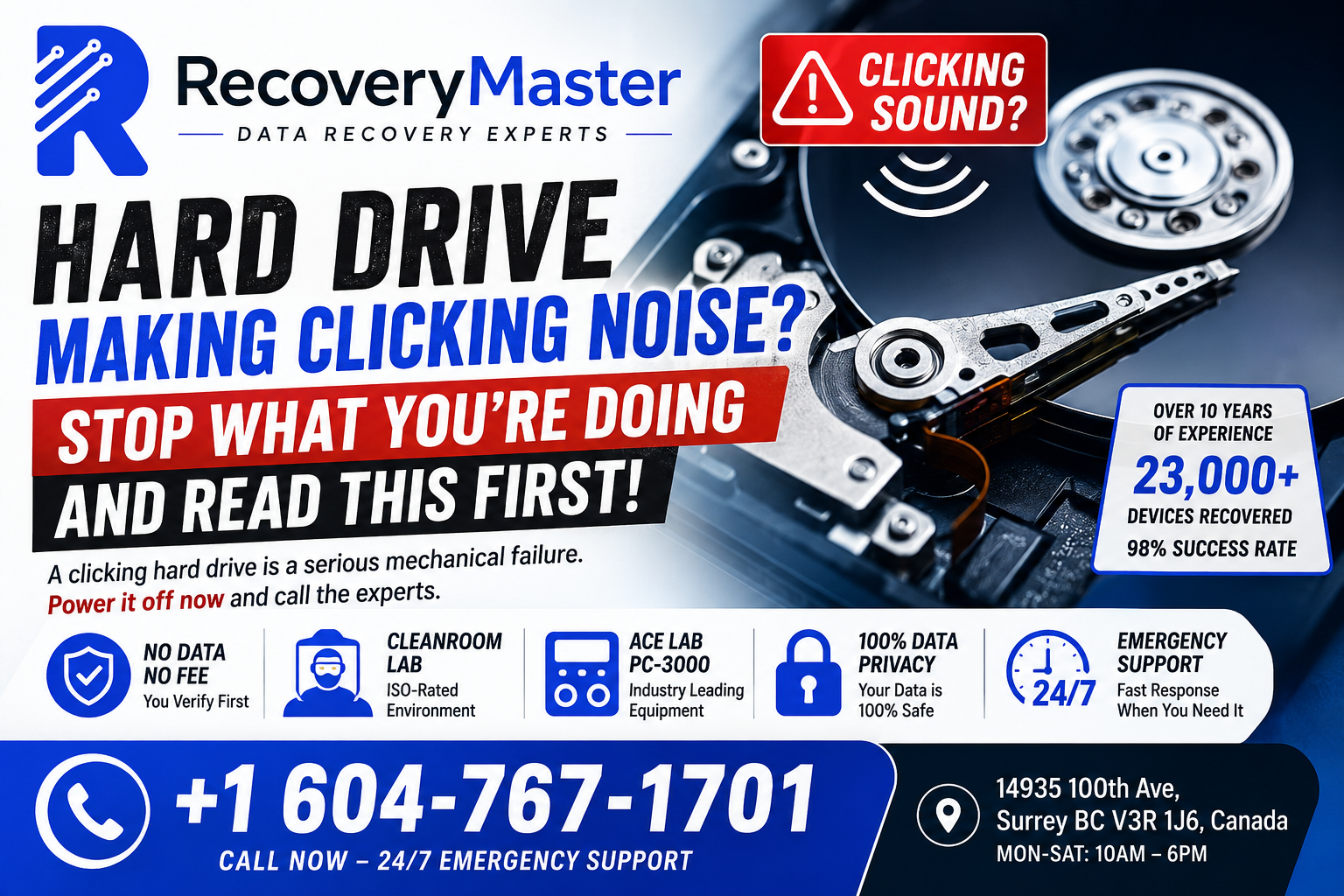
That clicking sound coming from your hard drive is one of the most alarming things you can hear from a computer. A clicking hard drive almost always means a serious mechanical failure is happening inside — and every second you keep it running makes recovery harder.
If you’re in Surrey, BC and your drive is clicking right now, power it off. Do not restart it. Do not run any recovery software. Then take a breath and read this — because the next few decisions you make will determine whether your data comes back or disappears forever.
RecoveryMaster is a certified data recovery lab located at 14935 100th Ave, Surrey BC. With over 10 years of experience and 23,000+ devices recovered, they’ve seen every version of the clicking hard drive problem — and they recover data successfully in 98% of cases. This post will walk you through exactly what’s happening, what not to do, and what your options are.
What That Clicking Sound Actually Means
Your hard drive stores data on spinning magnetic platters. A tiny component called the read/write head floats just nanometres above those platters, reading and writing information at high speed.
When the head malfunctions — whether from a drop, a power surge, age, or manufacturing defect — it can’t find its target position on the platter. So it resets and tries again. Then again. That repetitive mechanical reset is the clicking sound you’re hearing.
This is called the “click of death” in the data recovery industry. It’s not a software glitch. It’s a physical failure.
Common Causes of a Clicking Hard Drive
- Physical impact — dropping a laptop, even briefly, can knock the read/write head out of alignment
- Power surge or sudden power loss — the head can land on the platter instead of parking safely
- Normal wear and tear — heads wear out over time, especially on drives that have run 24/7
- Manufacturing defect — some Seagate, WD, Toshiba, and Samsung drives have known batch failures
- Firmware corruption — rare, but a corrupted firmware can cause the drive to misread its own position
The cause matters for recovery, but right now what matters more is what you do next.
The Three Things You Must Never Do With a Clicking Drive
Most data loss that becomes permanent doesn’t happen during the original failure. It happens in the minutes and hours after, when the owner tries to fix things themselves.
Warning: Do not attempt any of these — they are the three most common ways to turn a recoverable situation into a permanent one.
1. Don’t Keep Running the Drive
Every time a failing read/write head sweeps across a platter, it risks scratching the surface. Platter scratches destroy data permanently — no lab in the world can recover data from a physically scratched platter. Shut the drive down now.
2. Don’t Reinstall Windows or Reformat
This seems obvious, but panicked users do it more often than you’d think. Reformatting overwrites the file allocation tables that tell the drive where your data lives. Recovery becomes vastly more difficult.
3. Don’t Use DIY Data Recovery Software
Software like Recuva, Disk Drill, or TestDisk are designed for logical failures — deleted files, corrupted partitions. They are completely useless against a mechanical failure and will make the head thrash harder against failing components. Some users have destroyed recoverable drives this way.
What Happens Inside a Professional Data Recovery Lab
This is where most blogs stop explaining things. Here’s what actually happens when a clicking drive arrives at a professional lab like RecoveryMaster’s Surrey lab.
Step 1 — Free Diagnostic
The drive is examined without being powered on unnecessarily. Technicians check the model, firmware version, known failure patterns, and external damage. This diagnostic is completely free and carries no obligation.
Step 2 — Cleanroom Disassembly
If the head needs to be inspected or replaced, the drive is opened in a cleanroom (or cleanroom-rated environment). A single dust particle on a platter can cause a head crash — the equivalent of a plane landing on a runway covered in boulders. This is why you should never open a drive at home.
Step 3 — Head Stack Replacement or Firmware Repair
If the heads are damaged, they’re replaced with matched donor heads from a compatible drive. This requires precise calibration — it’s not as simple as swapping a part. The technician uses specialist tools including the Ace Lab PC-3000 and DeepSpar platforms to communicate with the drive at a hardware level.
Step 4 — Imaging the Drive
Once the drive is stable, every readable sector is cloned to a healthy working drive. Recovery work is then done on the clone, never the original.
Step 5 — File Extraction and Verification
Files are extracted and you verify them before paying a single dollar. That’s what “No Data No Fee” means — you see your files first.
How to Choose a Data Recovery Lab in Surrey
Not every “data recovery” shop you find online is running a real lab. Some are IT shops that send your drive to a third party. Others open drives on a regular workbench and cause further damage.
Pro Tip: Ask any data recovery provider these three questions before handing over your drive.
- Is the work done in-house, or sent somewhere else?
- Do you have a cleanroom or ISO-rated enclosure?
- What equipment do you use — specifically?
A legitimate lab will answer all three without hesitation.
For data recovery in Surrey, RecoveryMaster handles every case entirely in-house. Your data never leaves British Columbia. They use the Ace Lab PC-3000 — considered the gold standard in professional drive recovery — along with DeepSpar and specialist NAND extraction tools for SSDs and flash storage.
Chain of custody is documented on every single case. Your privacy is protected throughout the entire process.
What Types of Drives Can Be Recovered?
Clicking is most common in traditional spinning hard drives (HDDs), but RecoveryMaster handles all device types:
- Desktop hard drives — the most common clicking failure, seen in HP, Dell, and Lenovo desktops
- Laptop hard drives — often from physical drops; common in MacBooks, HP Pavilion, Dell Inspiron, Lenovo ThinkPad
- External hard drives — Western Digital My Passport, Seagate Backup Plus, and Samsung T-series drives are frequent visitors
- NAS and RAID arrays — Synology and QNAP NAS units that click or fail to mount
- USB flash drives — different failure mode, but recoverable in most cases
- SSDs — clicking is rare, but controller failures produce similar symptoms
If your device is making any unusual noise — clicking, beeping, grinding — the advice is the same: shut it down and don’t run it again until it’s been professionally assessed.
Surrey Neighbourhoods We Serve
RecoveryMaster serves all of Surrey and the surrounding Metro Vancouver region. Whether you’re in Newton, Guildford, Whalley, Fleetwood, Cloverdale, or South Surrey — you can walk in Monday through Saturday, or call for 24/7 emergency support.
Walk-in customers are welcome at 14935 100th Ave, Surrey BC V3R 1J6. If your situation is urgent, call 604-767-1701 and explain what’s happening. Emergency cases are prioritized.
If you’re outside Surrey, you can also ship your drive safely — details are covered in the FAQ below.
Pro Tip: When transporting a clicking drive, place it in a static-free bag, then wrap it in bubble wrap. Do not stack anything on top of it. Do not leave it in a hot car. Treat it like a fragile medical sample — because that’s essentially what it is.
How Much Does Data Recovery Cost — and Is It Worth It?
This is the question everyone wants answered upfront, and it’s a fair one.
Data recovery pricing varies based on the type of failure, the drive model, and how much work is required. Logical recoveries (deleted files, corrupted partitions) are generally less expensive than mechanical recoveries involving cleanroom work.
What RecoveryMaster won’t do is charge you a cent if the recovery isn’t successful. The No Data No Fee guarantee means you verify your files first — then decide whether to pay. There’s no risk in getting a free diagnostic.
For most people, the question isn’t really “is it worth the cost?” — it’s “what is this data worth to me?” Wedding photos, business files, years of client records, a thesis dissertation, family videos. What would it cost to recreate them — if that’s even possible?
The Surrey data recovery service at RecoveryMaster offers a free, no-pressure diagnostic so you can make an informed decision with all the facts in front of you.
Frequently Asked Questions
1. What should I do immediately after I hear clicking from my hard drive?
Power the drive off immediately — don’t shut down normally if you can avoid it; just cut the power. Do not restart, do not run disk utilities, do not open File Explorer or Finder and try to browse the drive. Every additional spin risks more physical damage. Place the drive somewhere safe and call a professional recovery lab as soon as possible.
2. How much does data recovery cost in Surrey BC?
Pricing depends on the failure type and complexity. Logical recoveries typically start lower; mechanical recoveries involving cleanroom work cost more. RecoveryMaster provides a completely free diagnostic before quoting anything, and the No Data No Fee policy means you pay only if recovery is successful. Call 604-767-1701 or visit the data recovery lab in Surrey BC for an honest assessment.
3. How long does data recovery take in Surrey?
Most cases are completed within 2–5 business days. Simple logical recoveries can sometimes be done same-day. Complex mechanical cases — particularly those requiring donor parts — may take longer depending on parts availability. Emergency and priority turnaround options are available. Call ahead to discuss your timeline and RecoveryMaster will give you a realistic estimate.
4. Can you recover data from a clicking hard drive?
Yes — in most cases. A clicking drive almost always has a mechanical failure involving the read/write heads. As long as the platters haven’t been scratched by continued use, professional head replacement and imaging can recover your data. RecoveryMaster achieves a 98% success rate across all case types, including clicking hard drives from Seagate, WD, Toshiba, Samsung, and others.
5. Can you recover a water-damaged phone in Surrey BC?
Yes. Water damage to phones is one of the most common recovery cases. The key is to not charge or power on the device — water and electricity cause corrosion that destroys components permanently. Bring it in as soon as possible. RecoveryMaster handles water-damaged iPhones, Android devices, and other phones regularly.
6. What does “No Data No Fee” actually mean?
It means exactly what it says. RecoveryMaster recovers your data, presents it to you for verification, and you confirm your files are there before any payment is made. If the recovery isn’t successful, you owe nothing — not even the diagnostic fee. There’s no risk to getting your drive assessed.
7. Is my data kept private during the recovery process?
Absolutely. All work is done in-house at the Surrey lab — your data never leaves British Columbia and is never sent to a third party. Chain of custody is documented throughout every case, and your files are handled with full confidentiality. RecoveryMaster does not access, copy, or retain your personal data beyond what’s needed for recovery.
8. Can I mail my device in from outside Surrey?
Yes. If you’re not local to Surrey, you can ship your drive or device safely. RecoveryMaster accepts mail-in cases from across Canada. Pack your device carefully — static-free bag, bubble wrap, sturdy box with padding on all sides. Email hi@recoverymaster.ca first to get your case started and receive shipping guidance before you send anything.
9. Do you offer same-day or emergency data recovery in Surrey BC?
Yes. Emergency and priority cases are available. RecoveryMaster offers 24/7 emergency support by phone at 604-767-1701. If your situation is time-sensitive — a business outage, a legal deadline, an irreplaceable file — call and explain the urgency. Emergency cases are moved to the front of the queue and assessed immediately. Walk-ins are welcome Monday through Saturday.
10. Can you recover accidentally deleted or formatted files?
Yes, in most cases. Deleted and formatted files are a logical recovery — the data still physically exists on the drive until it’s overwritten. The sooner you stop using the drive after deletion, the better your chances. Avoid saving anything new to the drive and contact RecoveryMaster Surrey BC as quickly as possible to maximize the window for recovery.
11. Can you recover data from a RAID or NAS system?
Yes. RecoveryMaster handles RAID 0, 1, 5, 6, and 10 arrays as well as NAS devices from Synology, QNAP, and other manufacturers. RAID recovery is complex — the order of drives matters, and rebuilding the array incorrectly can overwrite data. Never attempt a RAID rebuild on a degraded array without professional guidance. Bring the full set of drives in together.
12. What happens if ransomware has locked my files?
Ransomware is a different type of problem from physical data loss, but RecoveryMaster can help in some cases — particularly if you have unencrypted shadow copies or backups that haven’t been wiped. If ransomware has affected a drive that also has a physical failure, the mechanical issue needs to be addressed first before any decryption work can begin. Contact the lab to discuss your specific situation.
13. What equipment do you use for data recovery?
RecoveryMaster uses professional-grade hardware including the Ace Lab PC-3000 — widely considered the industry standard for hard drive recovery — as well as DeepSpar disk imagers and specialist NAND extraction tools for SSDs and flash storage. This equipment allows technicians to communicate with drives at a firmware and hardware level that consumer software simply cannot reach.
14. What is your data recovery success rate in Surrey?
RecoveryMaster maintains a 98% success rate across all case types — including mechanical failures, logical errors, water damage, fire damage, and encrypted drives. Cases that can’t be recovered are almost always ones where the platters have been physically scratched by continued use after the failure began — which is exactly why powering off immediately makes such a difference.
15. How do I know if my data is actually recoverable?
The free diagnostic will tell you. Technicians assess the failure type, the extent of damage, and the condition of the platters before quoting anything. In most clicking hard drive cases — provided the drive hasn’t been run excessively after the failure began — recovery is highly achievable. The trusted data recovery experts in Surrey BC will give you an honest answer about your specific case, with no pressure.
Your Data Isn’t Gone Yet — Here’s What to Do Now
If your hard drive is clicking, the situation is serious — but it is not hopeless. Here are the three things to take away from this post:
First: Power off immediately and don’t run the drive again. This single action protects the platters and preserves your chances of a successful recovery.
Second: Don’t try to fix it yourself. Software tools, DIY disassembly, and restarts make mechanical failures worse. A professional lab with the right equipment gives you the best possible outcome.
Third: Get a free diagnostic before making any decisions. You don’t need to commit to anything — just get the facts.
RecoveryMaster Surrey BC has recovered data from over 23,000 devices with a 98% success rate, backed by a No Data No Fee guarantee and 10+ years serving Surrey and Metro Vancouver. You verify your files before paying a single dollar.
Call 604-767-1701 anytime — 24/7 emergency support is available. Walk in Monday through Saturday at 14935 100th Ave, Surrey BC V3R 1J6. Or visit the professional data recovery in Surrey page to learn more about what to expect.
When you’re ready, get your free diagnostic today — it costs nothing and could make all the difference.
Your data matters. The people at RecoveryMaster understand that — and they’ll treat it that way.